Shopify /collections/vendors Spam Links: A 1-Minute Fix
This article was originally published in Chinese on 2023-01-19 and has been translated into English. Read the Chinese version.
Your Shopify store has been hit with spam links!
Your collection search pages are being abused to host malicious links!
What do you do when a pile of strange URLs shows up in your search results?
Linus from Jindouyun SEO will walk you through the fix. It only takes a minute to learn!
Introduction
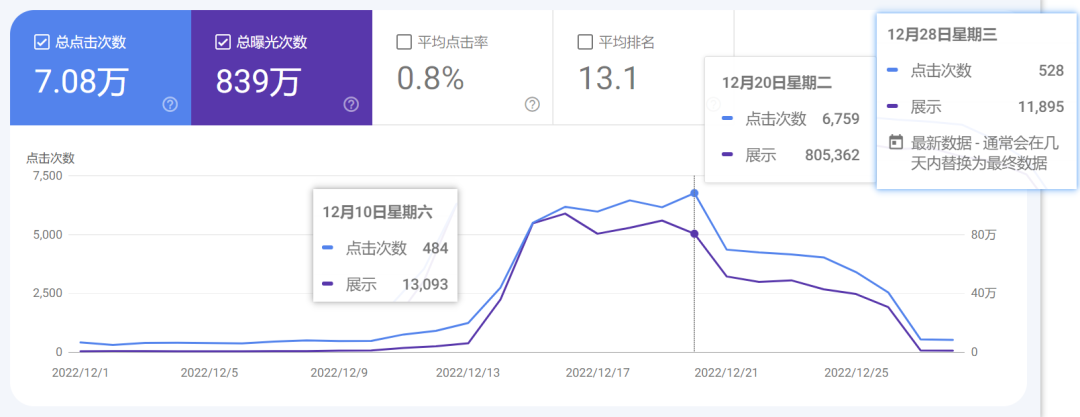
Recently, quite a few friends have come to us urgently needing help with spam links injected into their websites. The attack forces search URLs like collection/vendor pages to be indexed in bulk, so your site’s search results fill up with a pile of offensive, policy-violating listings. In your Search Console you’ll see lots of strange keywords and a sudden spike in clicks:
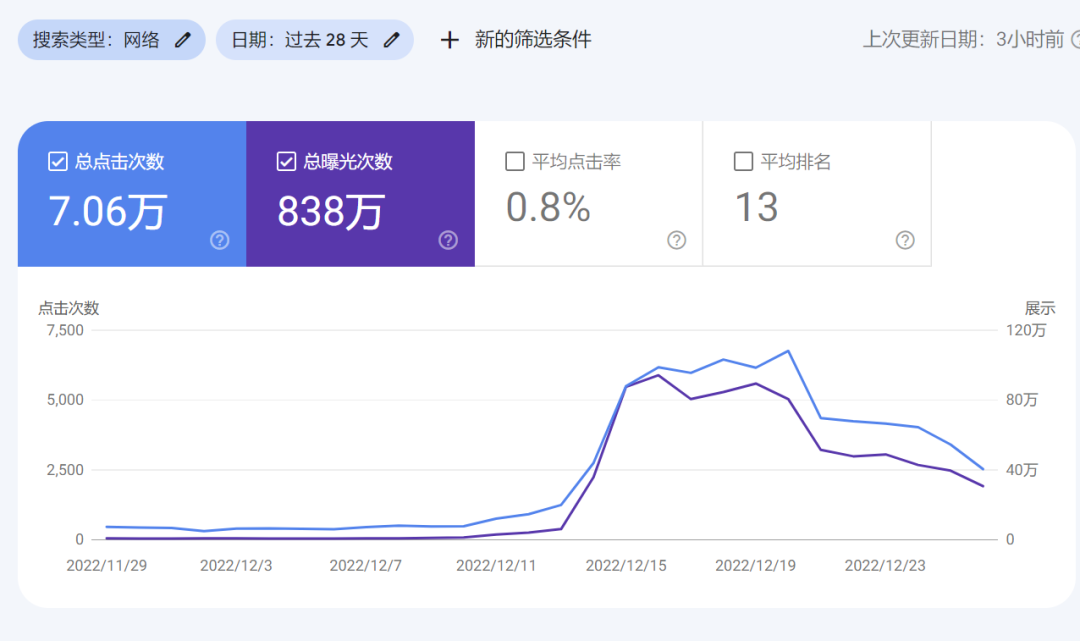
If you see this, deal with it immediately!
This has actually been going on for a long time. We first noticed it among our clients back in October, and we’ve already put preventive measures in place for more than 100 of our SEO clients.
But later, while helping other sellers deal with it, we realized the problem is far more widespread than we’d thought. We found that every Shopify store is at risk of this attack.
How to Fix It
First, list out all of your language versions.
For English, for example, it might be: https://example.com/collections/vendors?q=
Other languages may use different subfolders or domains depending on your setup, for example:
1 | https://example.com/en-hk/collections/vendors?q= |
Remove the URLs from Google
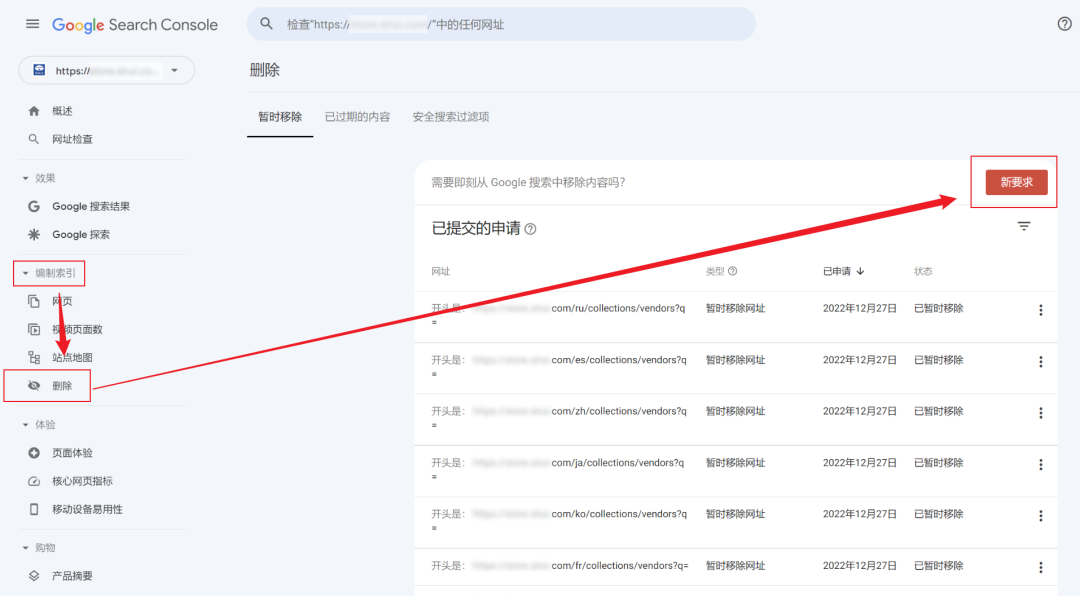
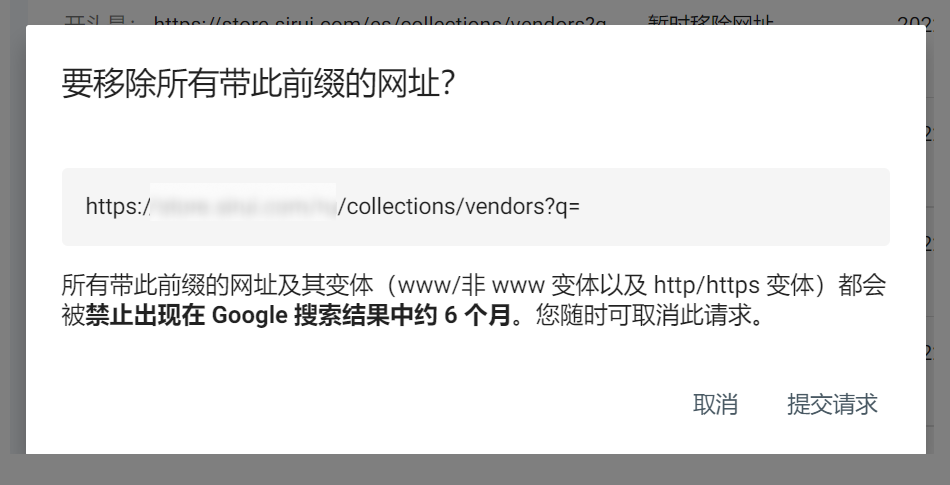
In Google Search Console, go to Indexing > Removals > New request > Temporarily remove URL > Remove all URLs with this prefix, and enter every URL you listed in the previous step. Be careful not to include any parameters.
Add a pattern rule to robots.txt
Next, add the following pattern at the bottom of the User-agent: * section of your site’s robots.txt:
1 | Disallow: /collections/vendors\* |
This rule means any URL starting with /collections/vendors will not be indexed by Google.
If you enter /collections/vendors?q=\* instead, spammers have other ways to get around it! So use /collections/vendors\* directly.
Here’s how to edit it in Shopify:
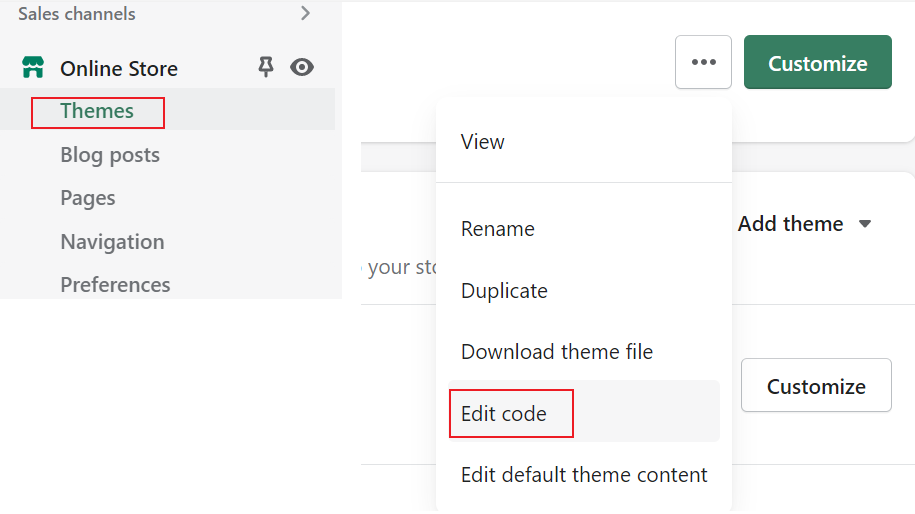
- Go to your admin and click Themes.
- Click the three dots next to Customize, then click Edit Code.
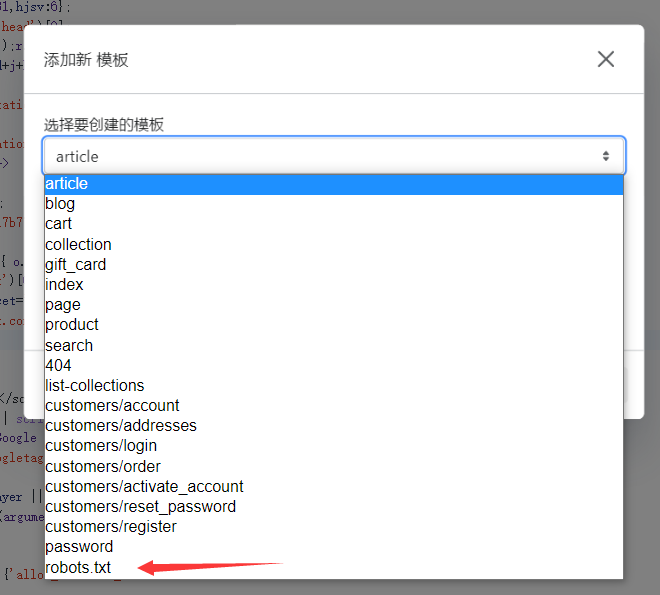
- Click Add a new template, then choose
robots.txt.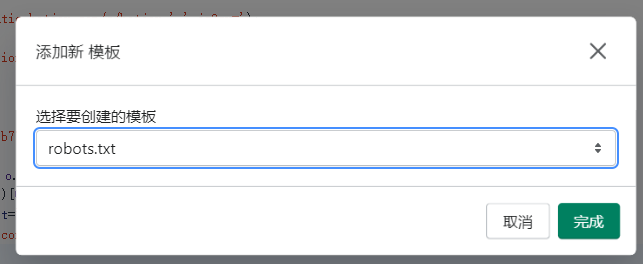
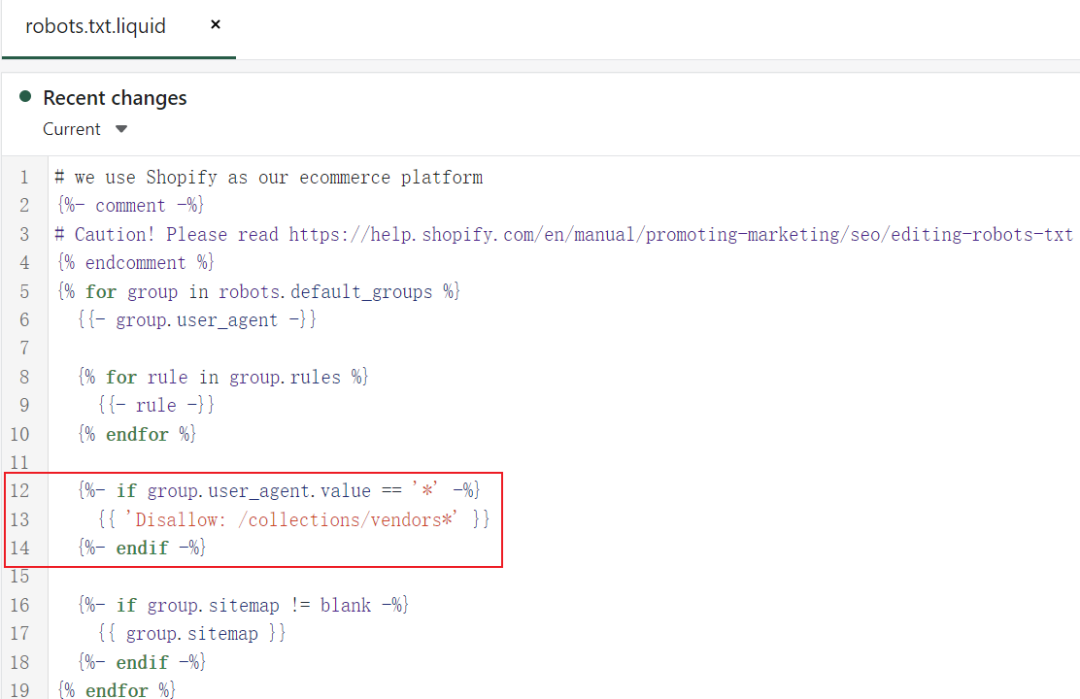
A default robots.txt template will be created. Then just add these three lines in the middle:1
{%- if group.user_agent.value == '*' -%}
Add a noindex tag in theme.liquid
You also need to add the following code just below the
tag in theme.liquid to tell Google’s crawler not to index the page.
1 | {% if request.path == '/collections/vendors' and collection.all_products_count == 0 -%}<meta name="robots" content="noindex"> {% endif %} |
Done
With these three simple steps, you can clean up the damage. Google will finish processing within a few days. As you can see, things recovered within days of us stepping in.
We’ve also reported this issue to Shopify, and we hope they’ll release a general fix soon.
Beyond that, it’s not just Shopify stores: any website that hasn’t been properly configured is at risk. Many spammers can force pages into the index by various means, but if you take preventive measures in advance, this won’t happen to you.
Further Reading
The purpose of robots.txt is to keep Google from indexing these pages. To learn more about robots.txt, check out the following resources:
- Introduction to robots.txt (Google)
- Shopify’s guide to editing robots.txt
- Block search indexing with noindex
Ad Break
Shopify /collections/vendors Spam Links: A 1-Minute Fix
https://www.linusseo.com/en/shopify-collections-vendors-link/