Start Bing SEO and Ads Now to Ride the ChatGPT Traffic Wave
This article was originally published in Chinese on 2023-03-24 and has been translated into English. Read the Chinese version.
Since ChatGPT launched last December, and now into March, it’s clear that a huge wave of AI is heading our way. The biggest winner so far is Microsoft. With remarkable strategic foresight, Microsoft poured billions of dollars into OpenAI, and now Bing’s search volume has grown to a staggering level!
With just a little setup and some optimization tailored to Bing, you may well pick up unexpected traffic. At the very least, while doing SEO work on various websites recently, I’ve noticed that many of my clients are already getting quite a lot of traffic from both Bing Ads and Bing SEO.
This article mainly covers how to use Bing Webmaster Tools, how to quickly import your existing Google projects, and a few things to keep in mind for Bing SEO. Google SEO and Bing SEO consider almost exactly the same things: content, backlinks and performance. But Bing has a few unique little features that are genuinely great.
🔍Quickly Import Your Sites from GSC into Bing
Bing Webmaster Tools helps you monitor, maintain and improve your website’s rankings in the Bing search engine. The interface is very clean. Open https://www.bing.com/webmasters, click ↗Sign in in the top-right corner, and choose to sign in with Google.
To quickly import your website into Bing Webmaster Tools, you can use the import feature for GSC (Google Search Console), which also brings over your sitemaps.
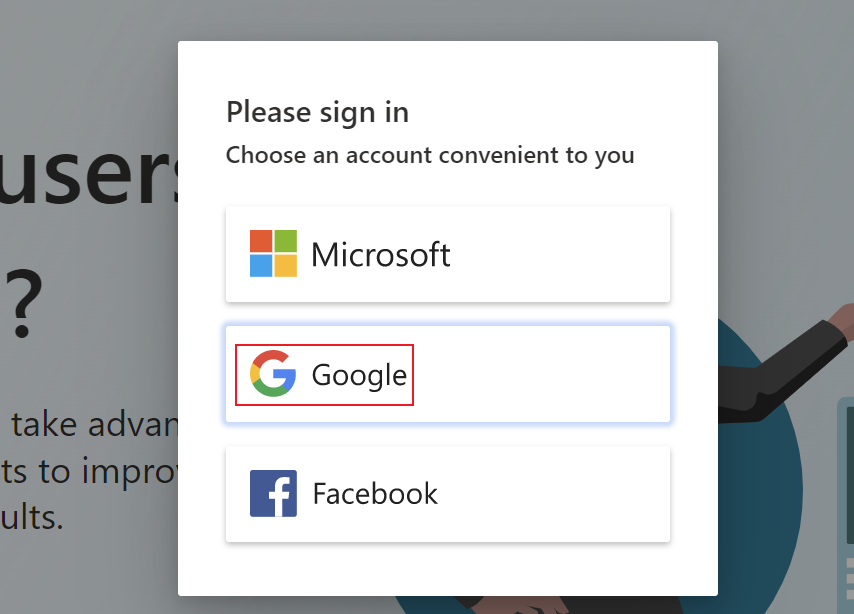
Note: make sure you sign in with the Google account that your independent website is verified under. That makes syncing your projects much faster, which is especially important if you’re a webmaster managing dozens of sites.
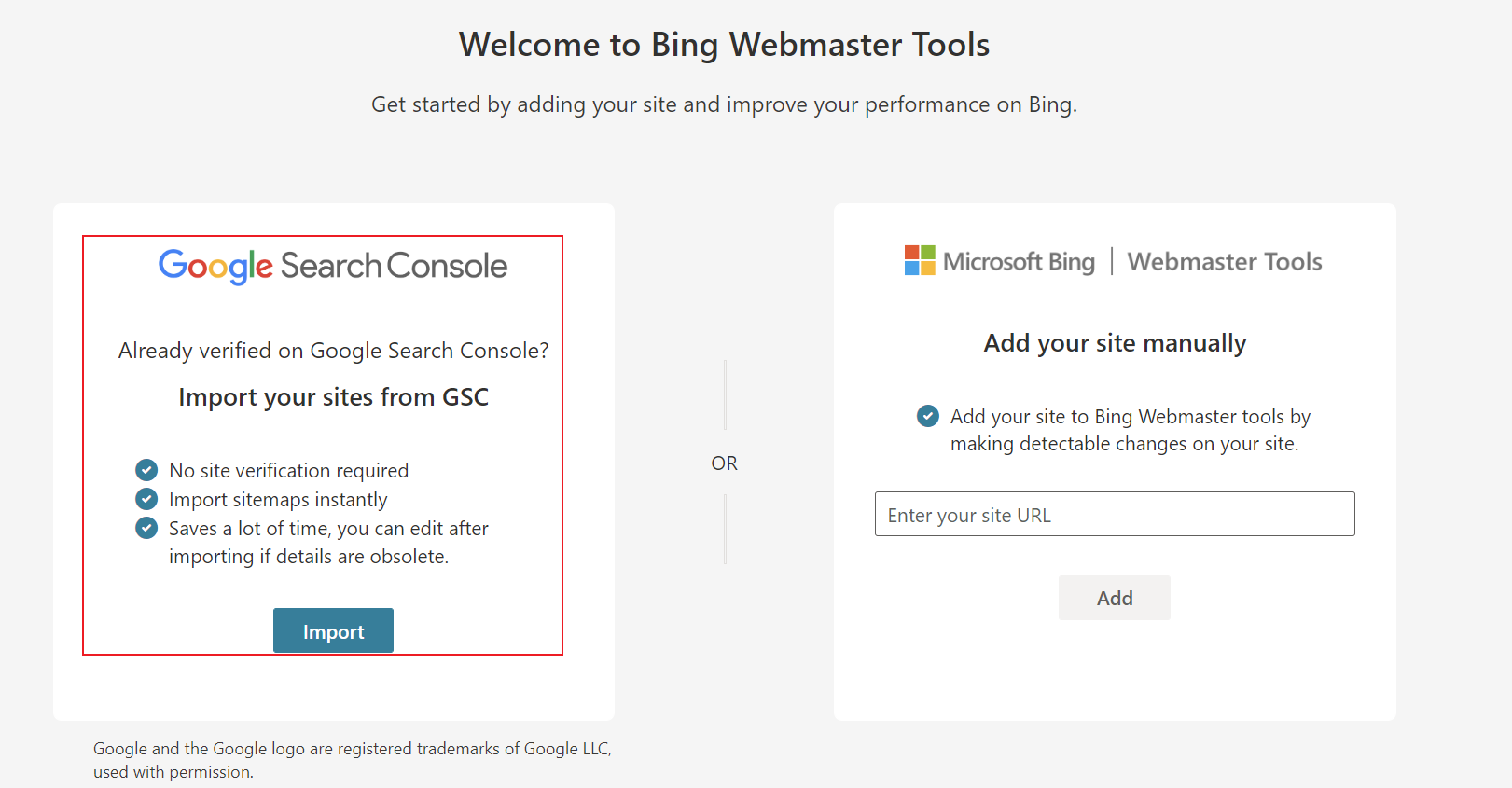
Once you’ve signed in, be sure to choose “Import your sites from GSC” on the left, click Import, and follow the steps Bing gives you. Of course, if you haven’t linked a Google account, you can also choose to add a site manually on the right; all you need to do is add a meta tag to your homepage HTML. If anything’s unclear, you’re welcome to join my SEO traffic growth community, where there are tons of AI tactics and new ChatGPT and AI tips every day.
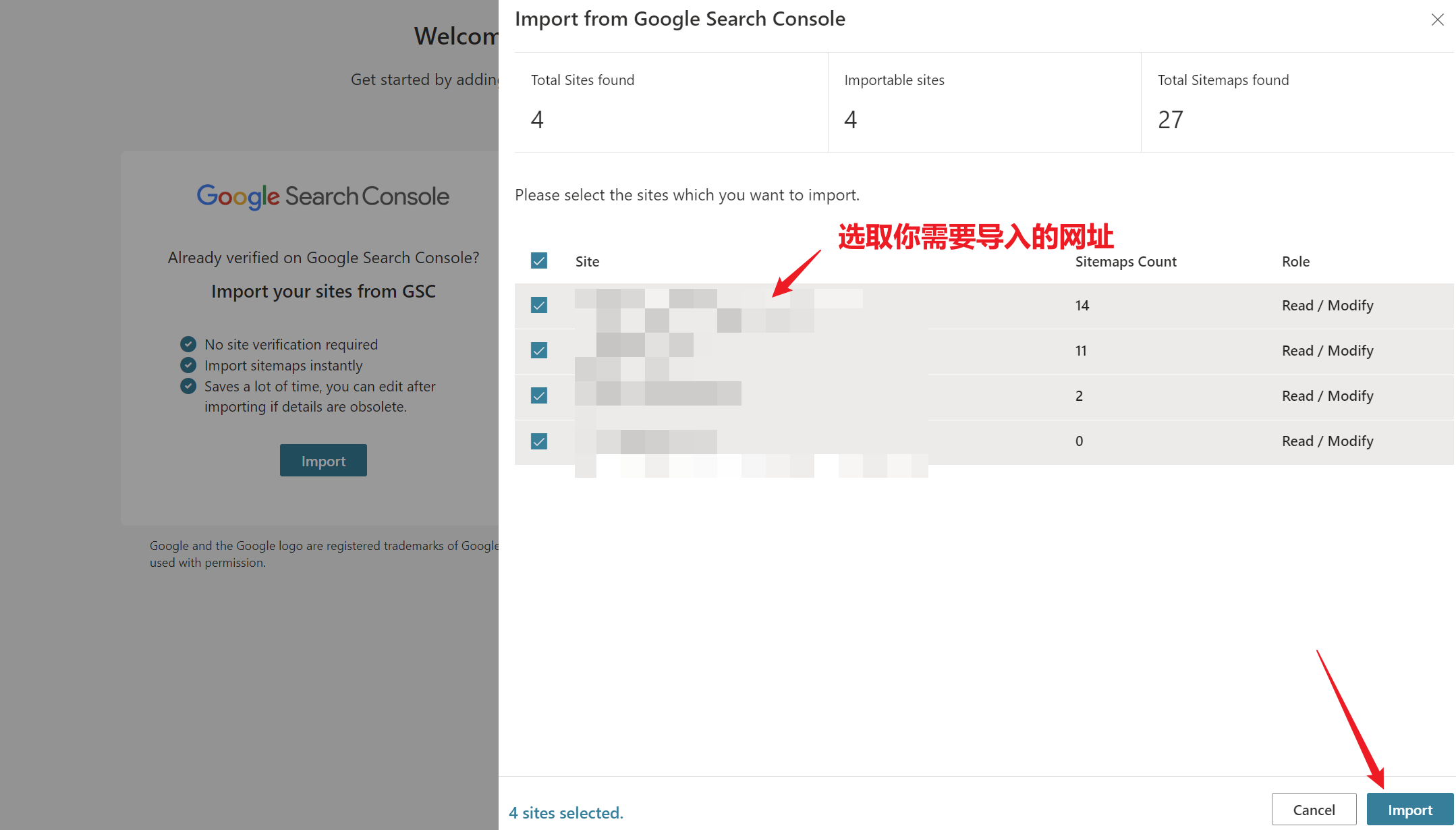
After clicking, select the sites you want to import. You can tick the ones you want, but here we’ll just go all in and select everything. Someone asked me whether Chinese-language sites can be imported too. Of course! It costs nothing, so why not? Isn’t it better to let Bing know about your site?
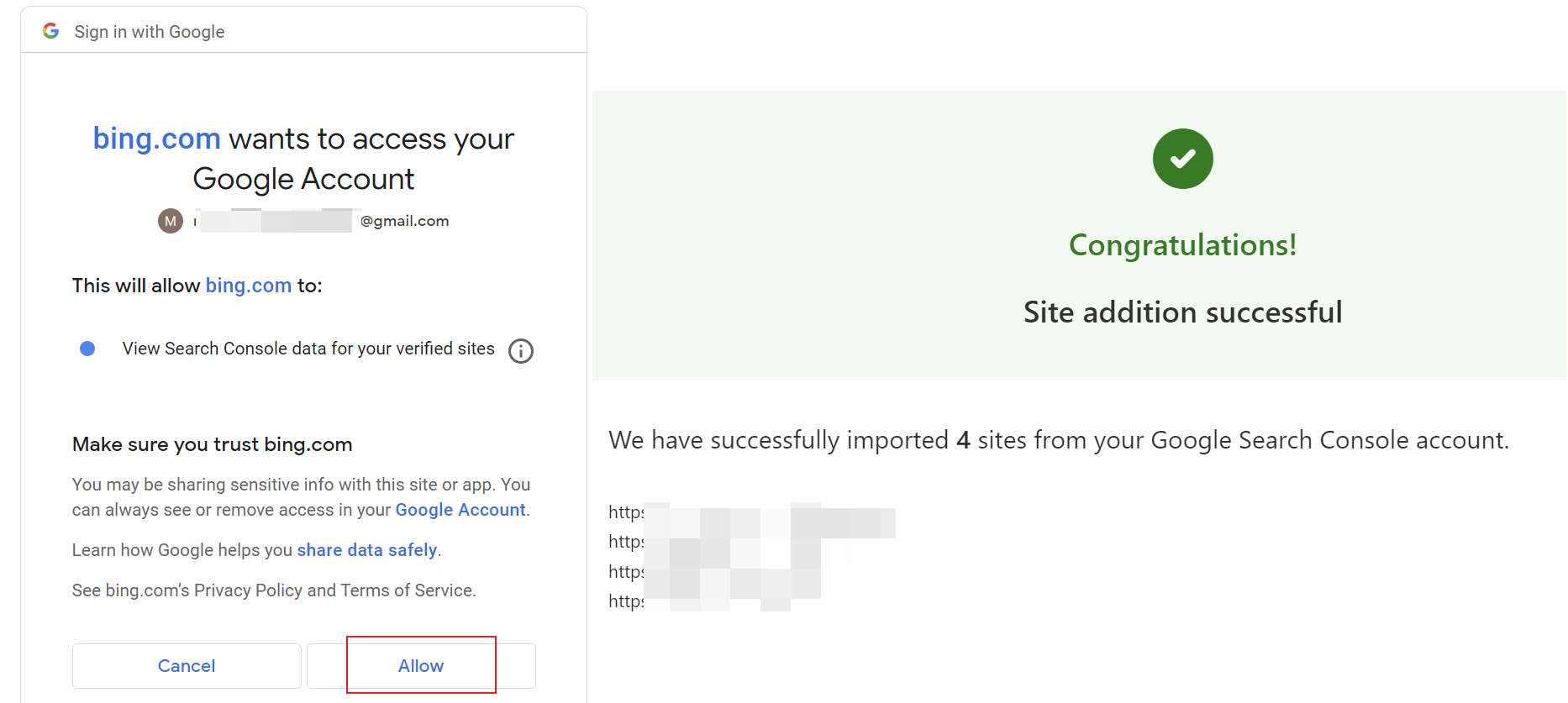
If Bing asks for access to your Google permissions, just grant it. This information is necessary, and Microsoft is quite restrained when it comes to privacy, so there’s no need to worry.
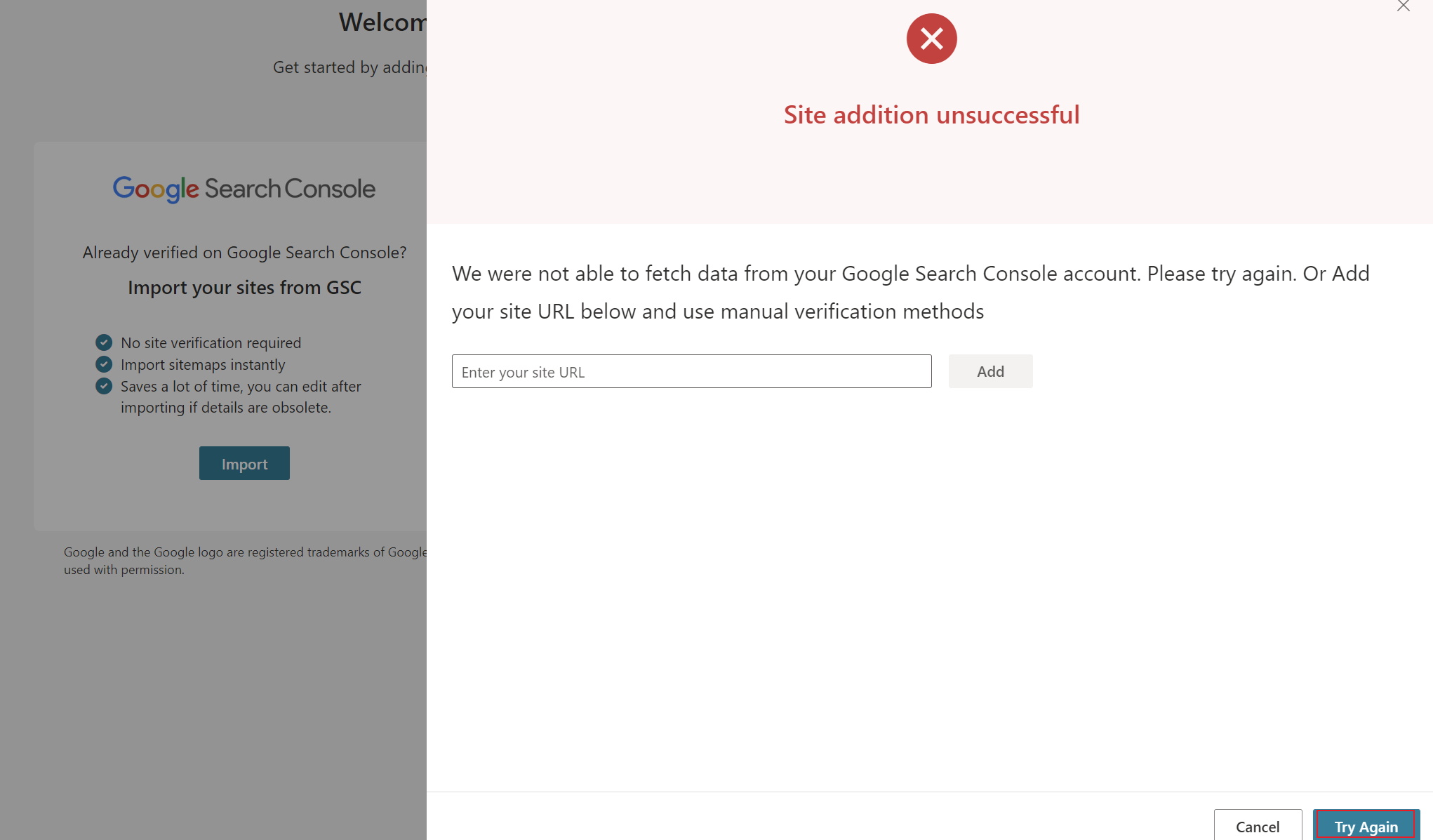
But wait, some people will always run into a failure! If it says the import failed, don’t worry. Click Try again a few times. If it still doesn’t work, just close the page; you’ll find all your sites have actually been imported, though the sitemaps may not have come through (a Microsoft sync bug). We’ll cover that below.
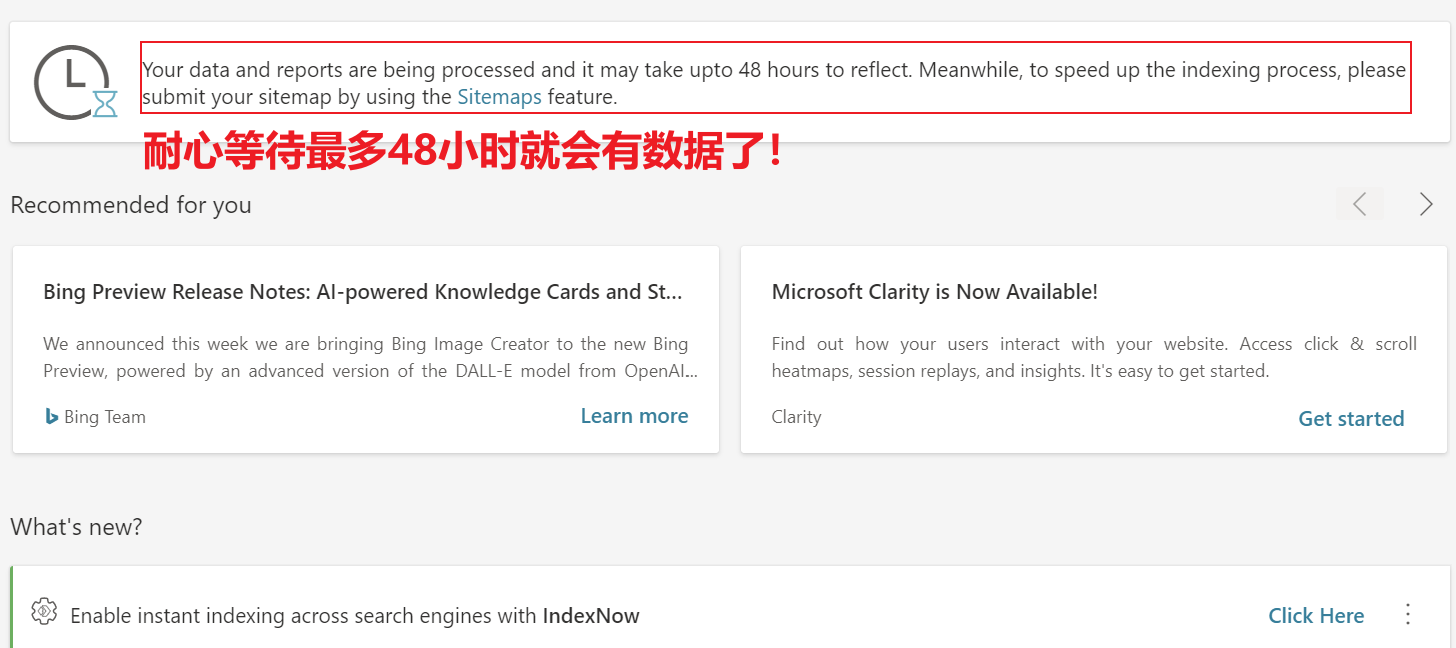
Once your sites are added, if you have no prior footprint on Bing (including ads and so on), you’ll need to wait up to 48 hours for data to appear.

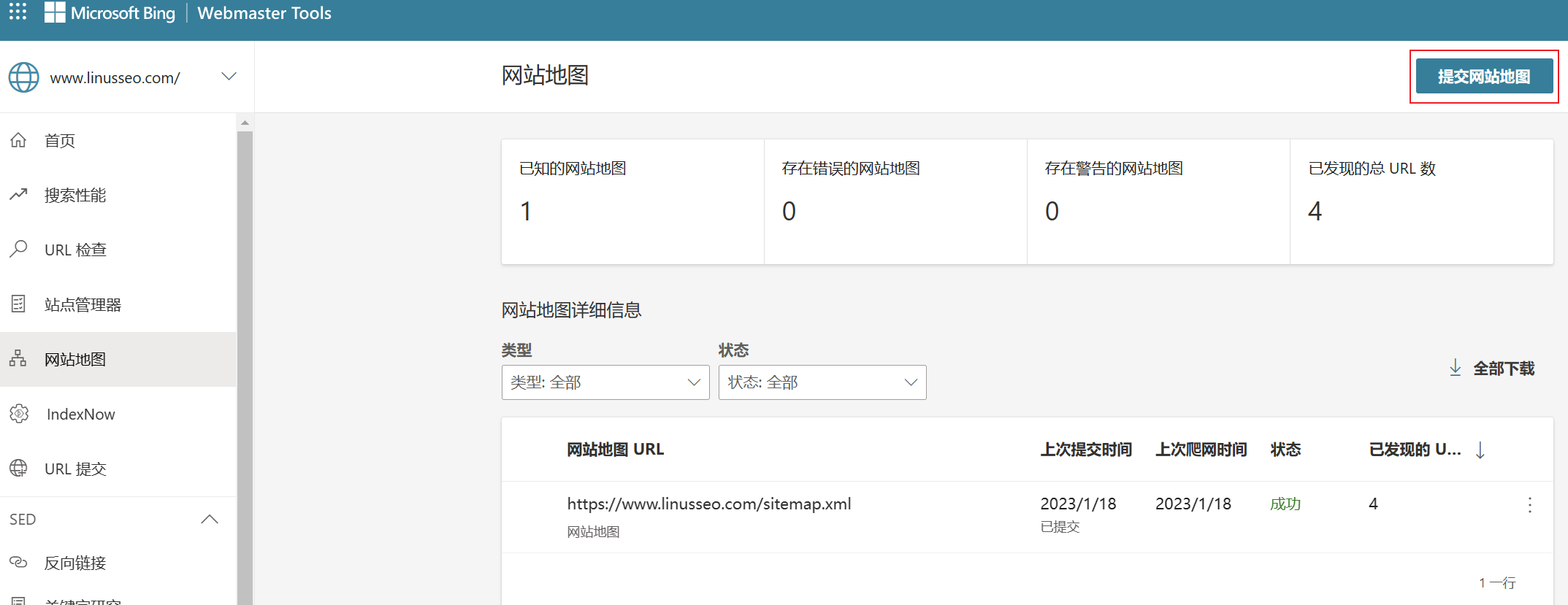
Normally you’ll see a dashboard like this. Compared with Google’s complex interface, it’s refreshingly clean.
🔍Optimizing Your Bing Webmaster Settings
Bing Webmaster Tools is relatively streamlined, but given the length of this post, I’ll break down and analyze each feature in future articles. Here’s what you can do right now:
1.Submit your sitemap
This is the top priority, friends. The sitemap is always the first thing to set up. Submitting a sitemap in Bing Webmaster Tools is very simple: select the “Sitemaps” tab → click the “Submit sitemap” button → enter your sitemap URL → click “Submit”.
Once submitted, Bing will automatically crawl all the pages in your sitemap over a period of time and add them to its index. During this process, you can check the indexing status and any errors or warnings in Bing Webmaster Tools.
2.See which backlinks Bing recognizes
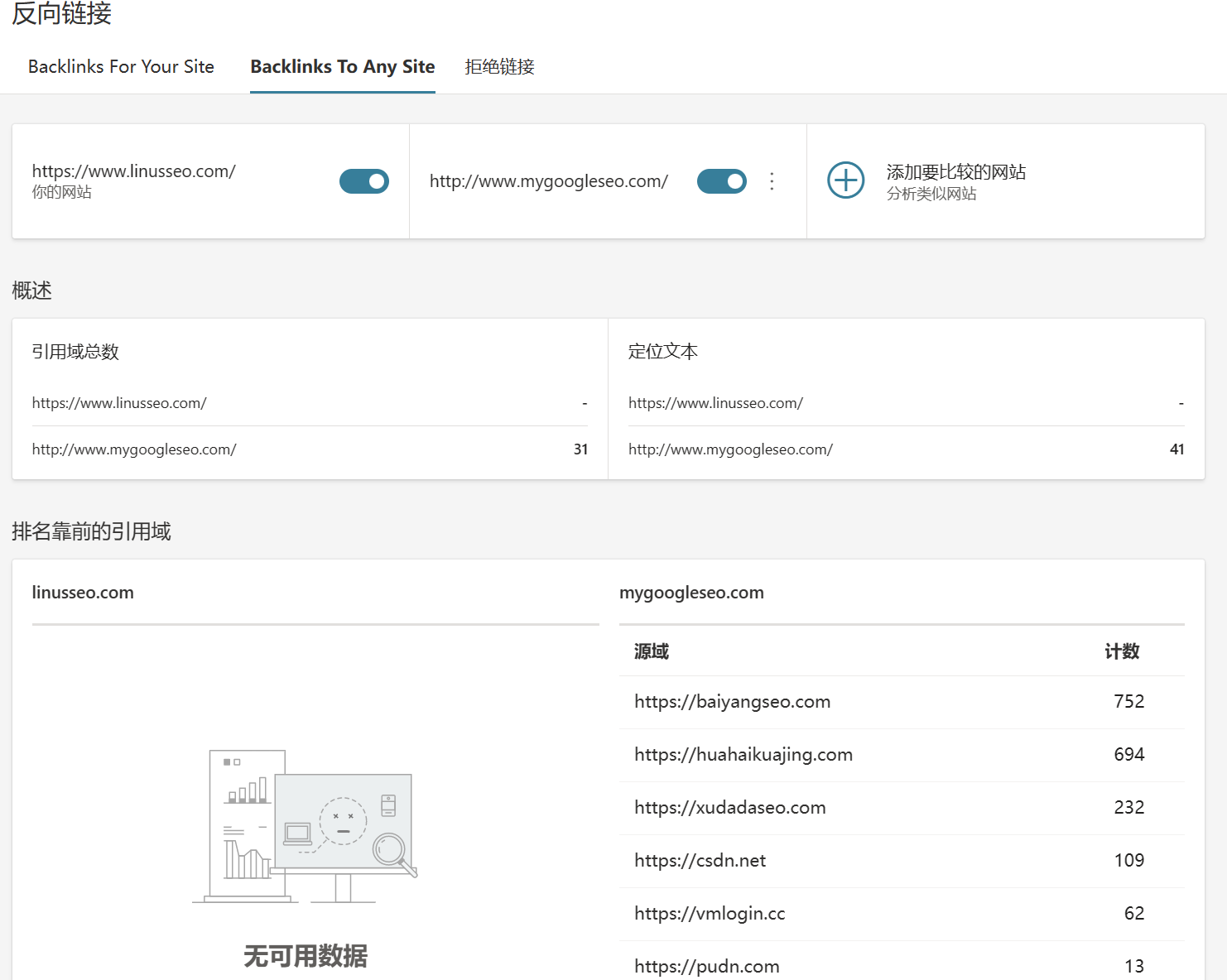
Like the Links report in Google’s GSC, this section shows the links Bing Webmaster Tools knows about. You can use this data to see exactly which backlinks Bing recognizes, which makes it easy to track how well your link building is going. You can see which websites link to yours, along with those links’ domains, counts and anchor text.
But note: there’s a “Backlinks To Any Site” feature that lets you compare other websites’ links! Here I quietly compared my site against Ruofan SEO’s website. Obviously mine is a brand-new site (just built), but I can spot a lot of key information. For example, I could approach Baiyang SEO and Xu Dada SEO to swap links. In independent-site SEO, these can be very important competitive points:
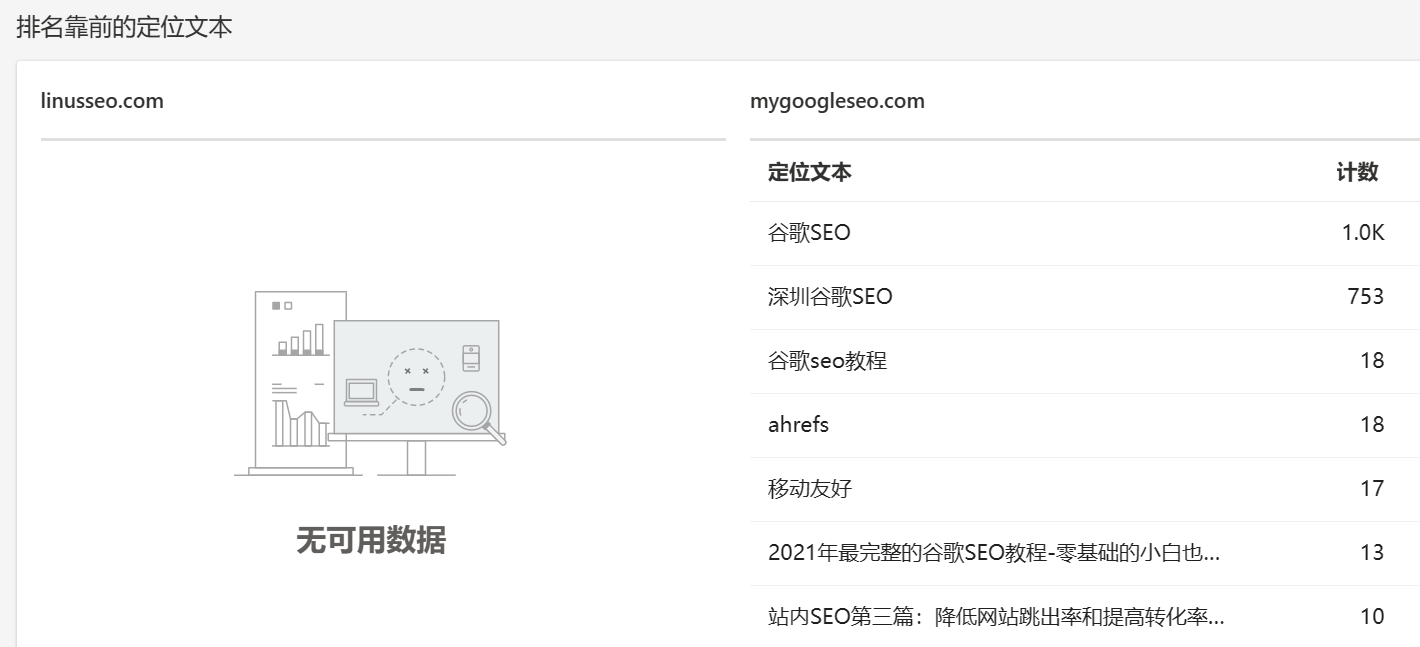
I can even see exactly which anchor texts are being used, so I can put more effort into building links for anchors like “Shenzhen Google SEO” and “Google SEO tutorial”. Honestly, isn’t this better than Ahrefs and Semrush? And it’s free, official, authoritative data!
3. Keyword research
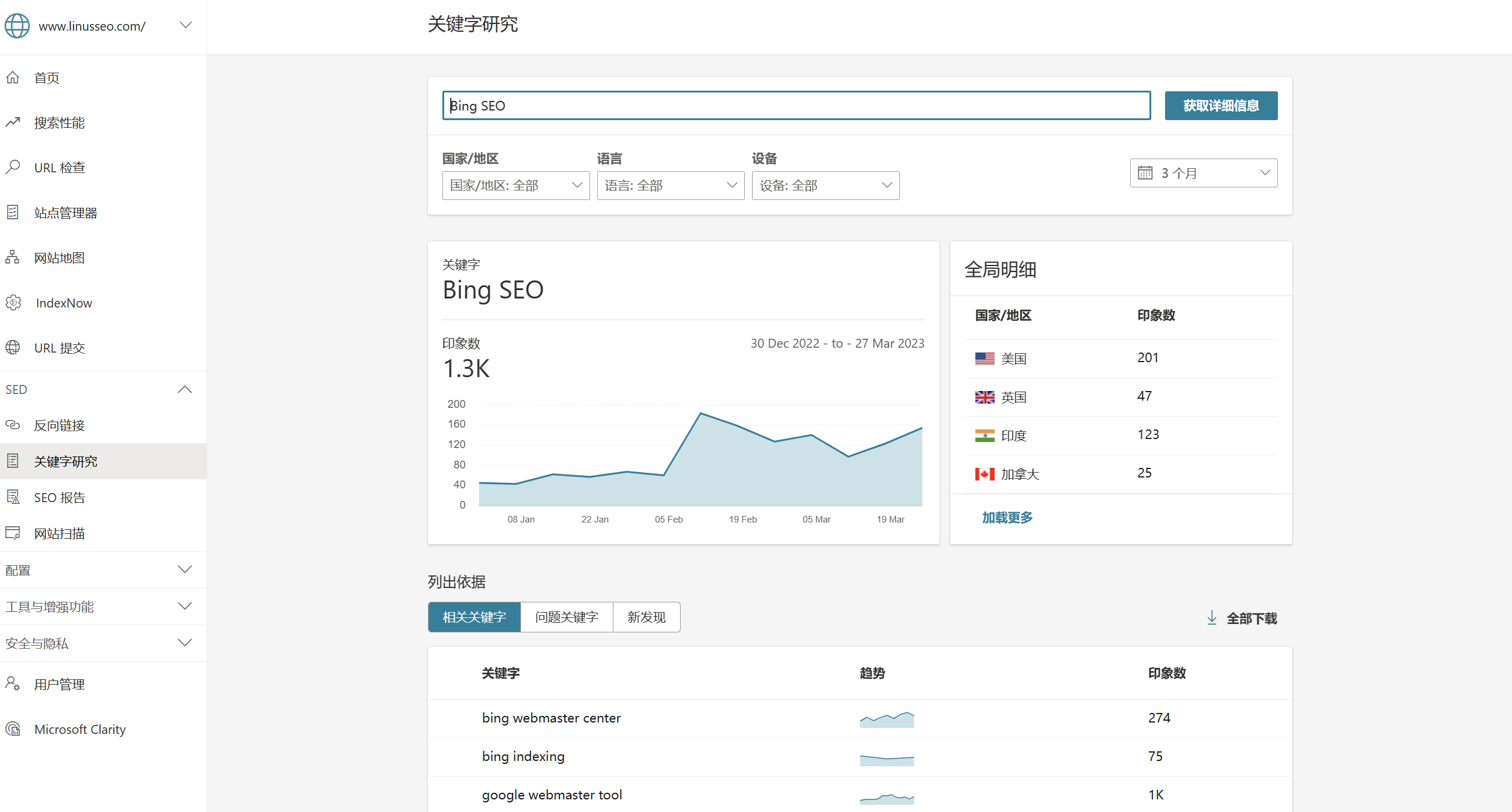
This feature is the equivalent of Google’s Keyword Planner and is silky smooth to use. You can clearly see that since February, search volume on Bing has risen considerably. Further down, you’ll find lots of Bing-specific long-tail keywords. For SEOs, getting keyword inspiration from different sources is very important.
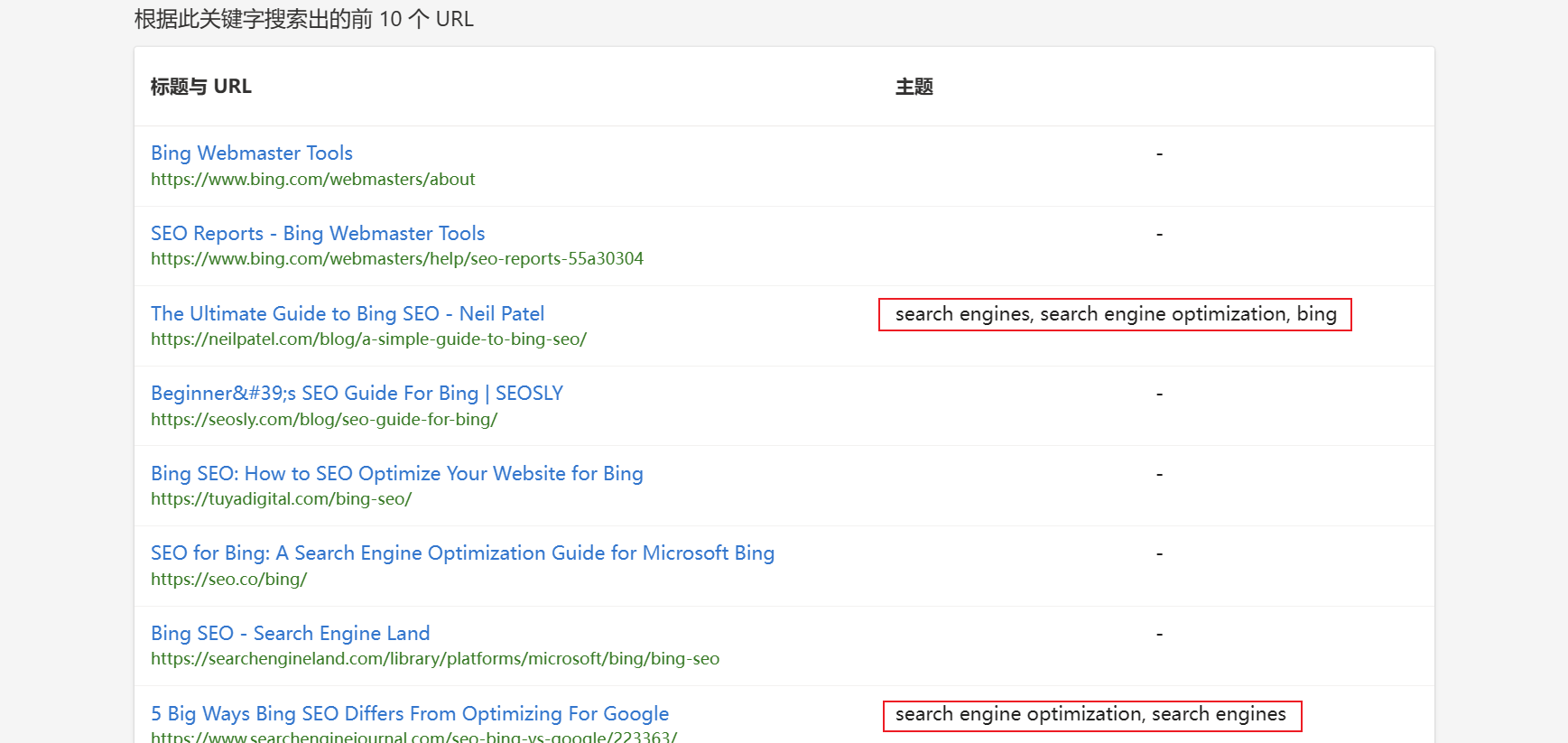
You can also use keywords to discover roughly which article topics are competitive. Microsoft has thoughtfully organized them for you one by one:
4. SEO reports and site scan
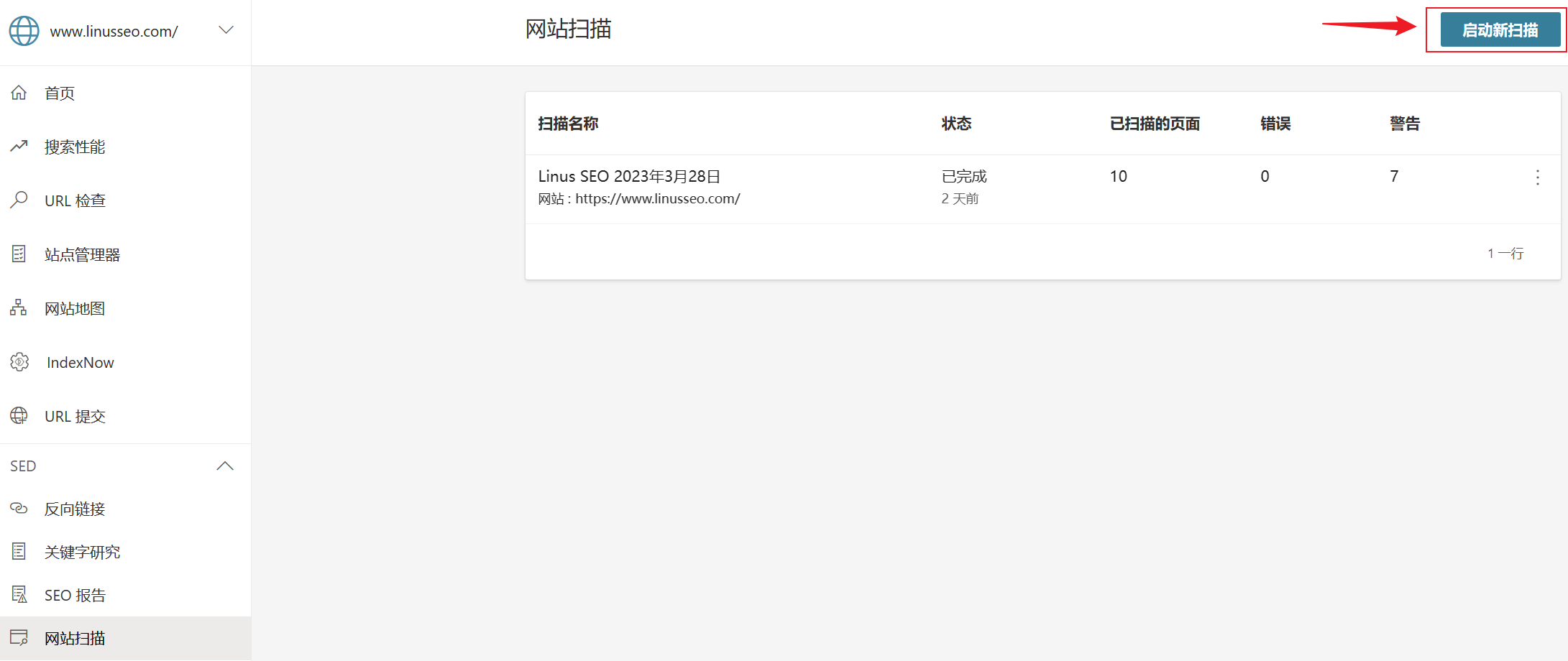
There isn’t much difference between these two, so I’ll cover them together. You can use this free Bing scanning tool to scan your website directly and then click into the report to see the issues on your site:
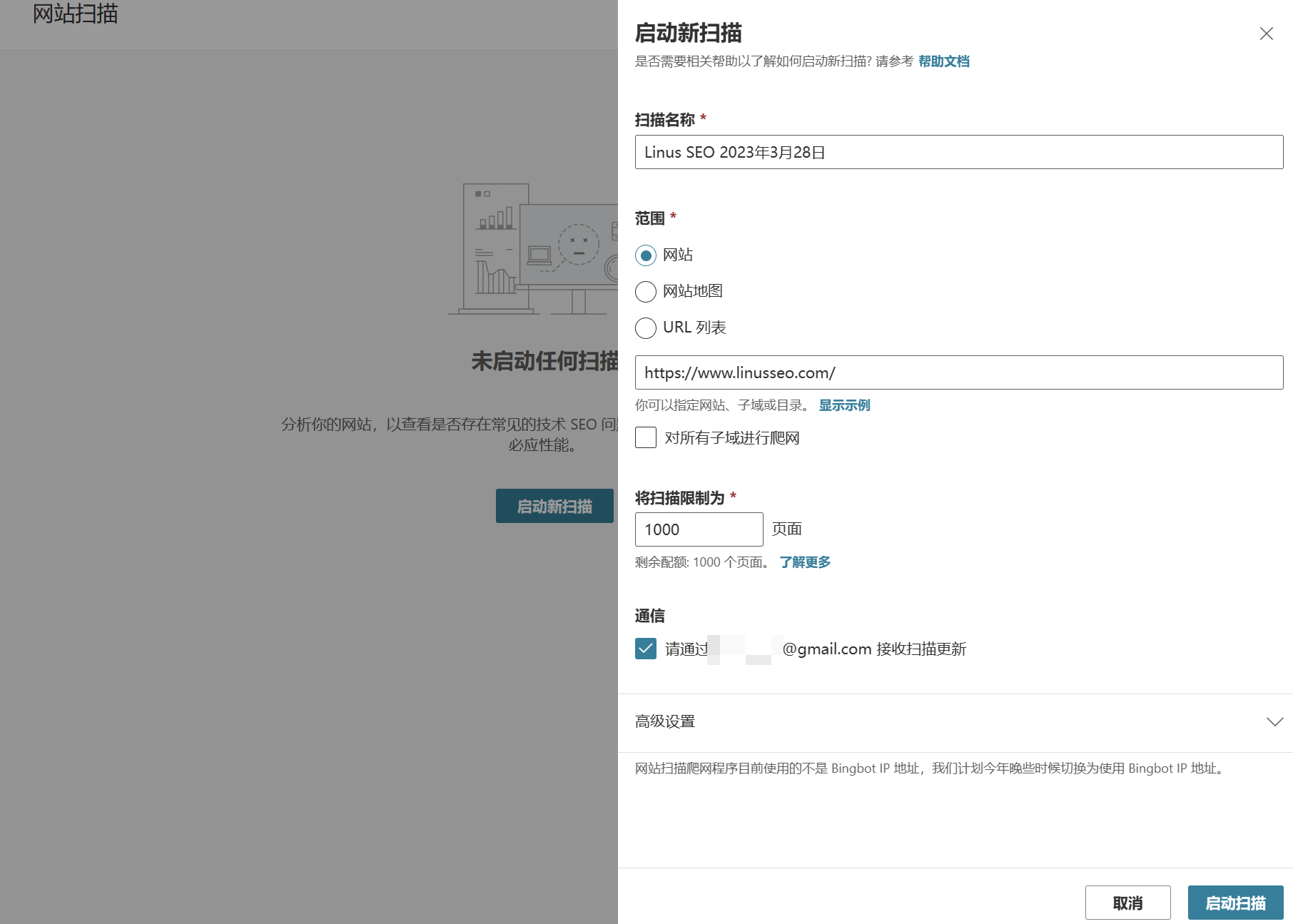
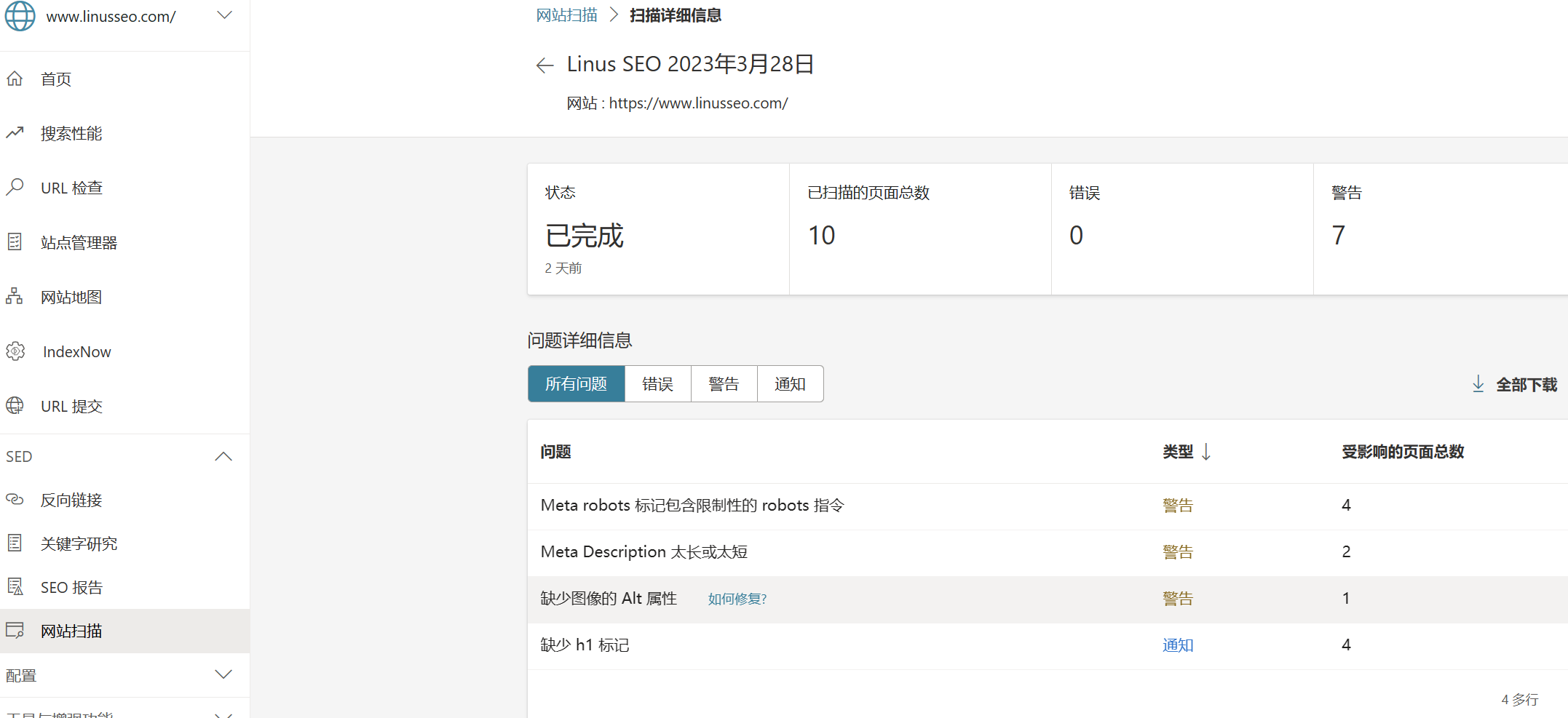
Deliberately optimizing based on these issues, just like fixing the issues flagged in GSC, will help you rank well across different search engines. After all, they’re telling you in plain terms what matters most on their turf. Don’t fight the search engine.
4.Speed up indexing with IndexNow
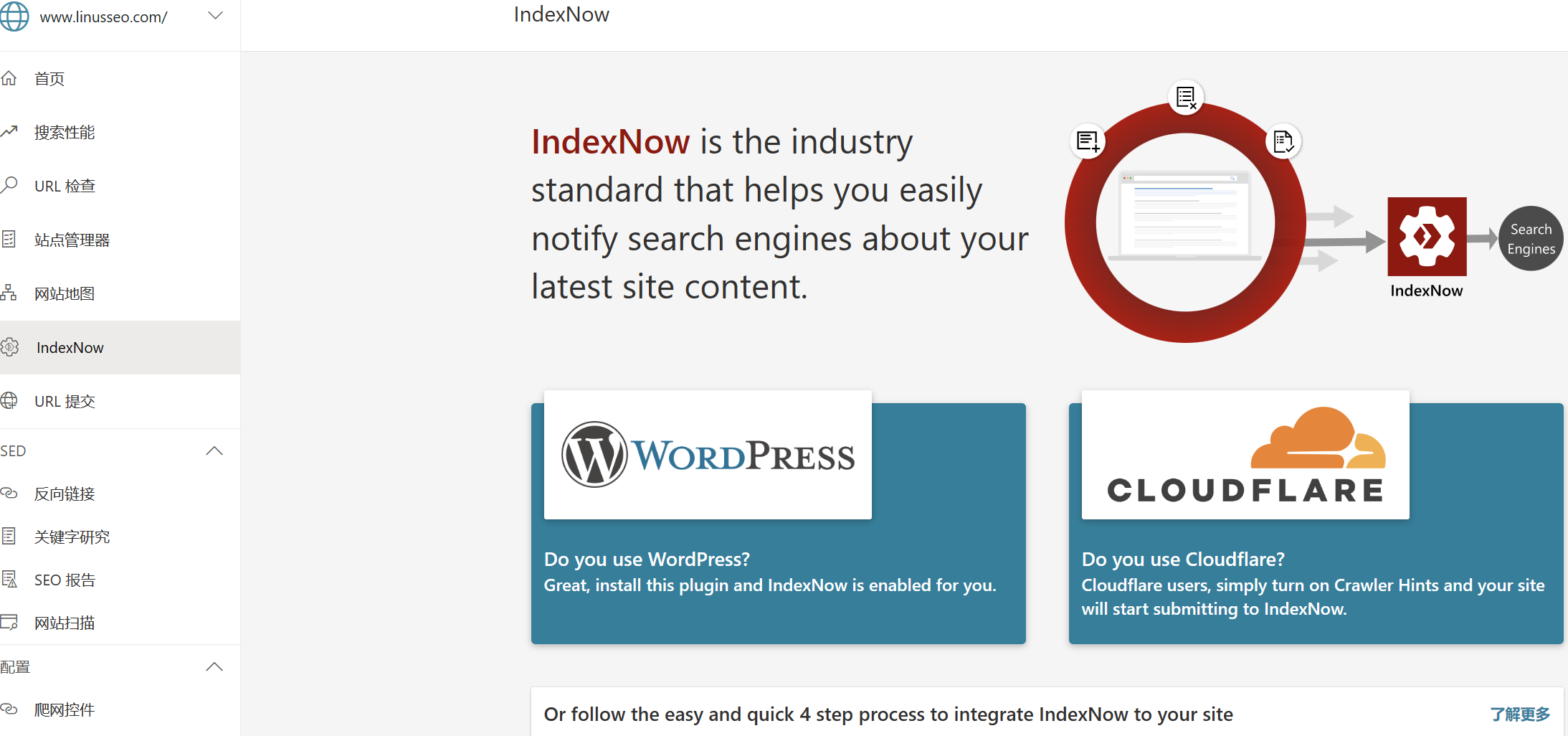
If you don’t want to submit URLs manually and you’re on WordPress or use Cloudflare, you can follow the Bing IndexNow guide. If your site is built on a hosted platform like Shopify, you can ignore this (because it isn’t supported).
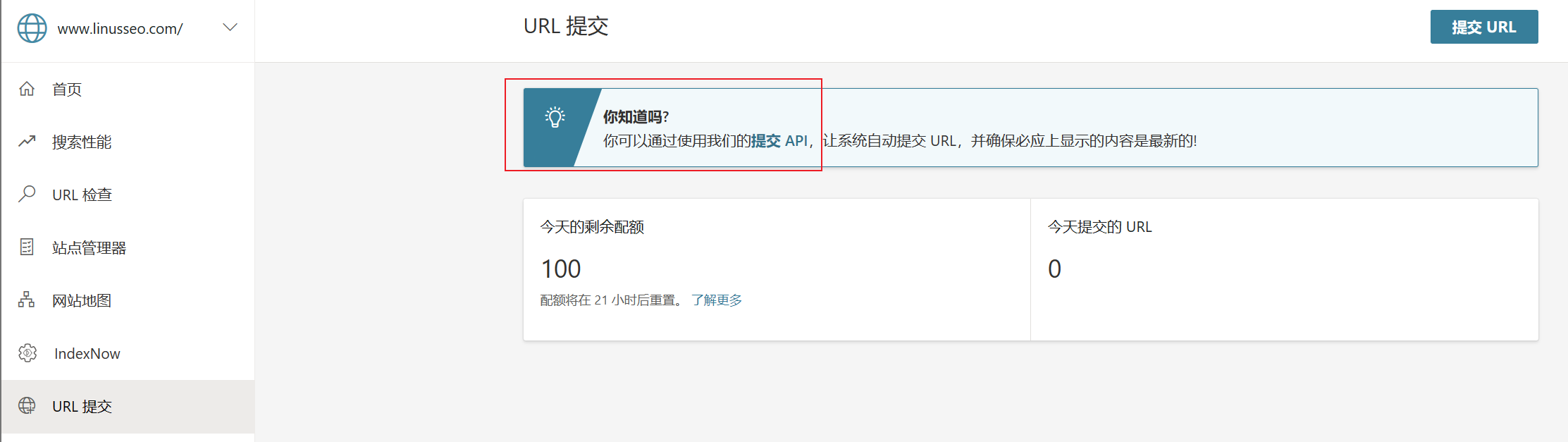
IndexNow is a simple way for website owners to instantly inform search engines about the latest content changes on their site. In its simplest form, IndexNow is a simple ping (think of it like PingFarm, which every seasoned SEO uses) that lets search engines know a URL and its content have been added, updated or deleted, so that the change can be reflected quickly in search results. Using IndexNow doesn’t guarantee that a page will be crawled or indexed, but it lets search engines learn about changes to your site faster, so the benefits are big.
5.Developer API
As a Python programmer, this is my favorite feature. At the very least it’s better than Google’s… and with a daily quota of 100, it’s more generous than Google too!
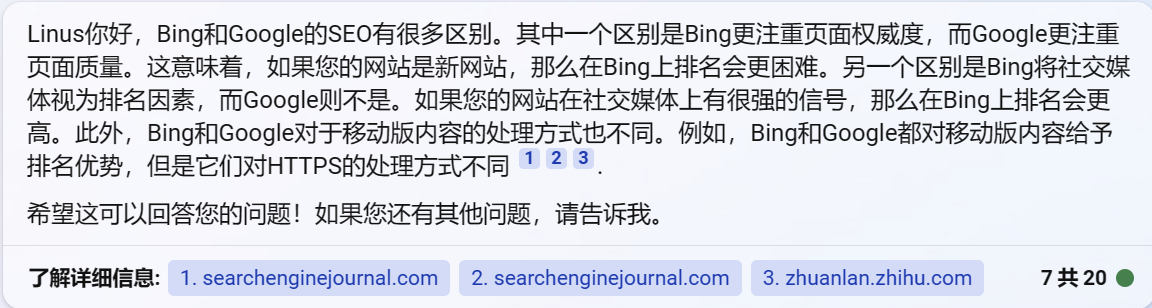
You can find the Bing API documentation here: Bing Webmaster Tools URL and Content Submission API (bing.com)
🌟Google SEO vs. Bing SEO
Finally, I don’t feel there’s really any difference between Bing SEO and Google SEO. The core is still “content is king, backlinks are queen”, along with many other factors such as page experience. I put this question to Bing Chat, and the answer it gave was quite interesting.
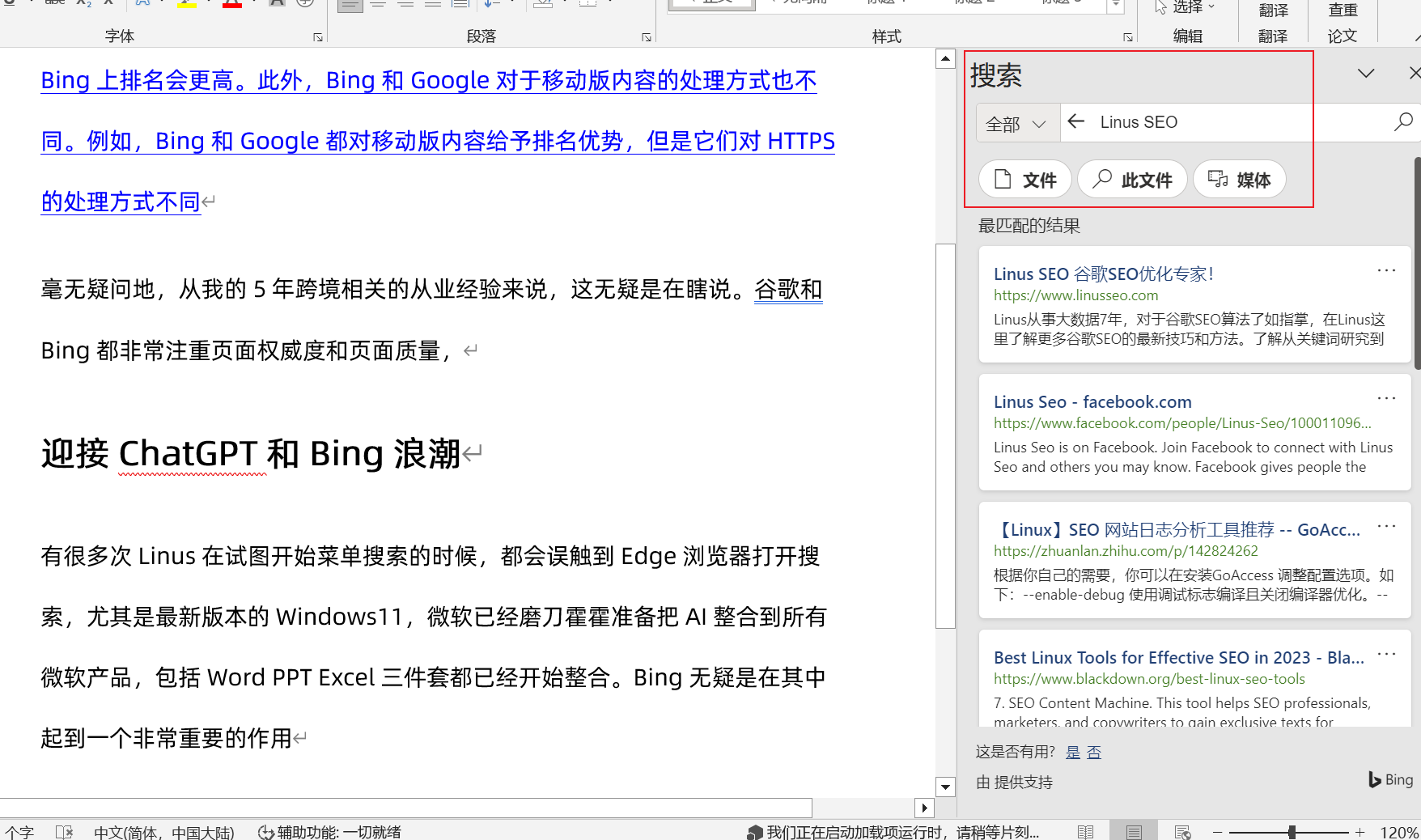
Here’s the answer:
Hello Linus, there are many differences between Bing and Google SEO. One difference is that Bing places more emphasis on page authority, while Google places more emphasis on page quality. This means that if your website is new, it will be harder to rank on Bing. Another difference is that Bing treats social media as a ranking factor, while Google does not. If your website has strong social media signals, it will rank higher on Bing. In addition, Bing and Google handle mobile content differently. For example, both Bing and Google give mobile content a ranking advantage, but they handle HTTPS differently
Based on my five years of experience in cross-border e-commerce, this is without a doubt nonsense. Both Google and Bing care a great deal about page authority and page quality. I’ll write a follow-up post on how authority and page quality are measured in the age of AI and go into this in detail.
🔥Embrace the ChatGPT and Bing Wave
Many times when I’ve tried to search from the Start menu, I’ve accidentally ended up with Edge opening a search, especially on the latest version of Windows 11. Microsoft is gearing up to integrate AI into all of its products, including the Word, PowerPoint and Excel trio, which are already being integrated. Bing is undoubtedly playing a crucial role as the glue in all of this.
For example, Word already has built-in search. When people look up related products or information, if you can get your categories or keywords into the top 10, or even the top 3, the traffic opportunity is huge, especially for niche industries.

Keep improving, and let’s keep pushing together! Feel free to add me on WeChat (ID: LinusSEO) to talk about how to win overseas traffic in the AIGC era. Follow me to learn more about Google SEO🧀.
Start Bing SEO and Ads Now to Ride the ChatGPT Traffic Wave