How to Pick an SEO-Friendly Domain: 2023 Guide + ChatGPT Prompt
This article was originally published in Chinese on 2023-04-05 and has been translated into English. Read the Chinese version.
Heads up: this post is packed with practical detail. I recommend following and bookmarking⭐ it so you can come back to it several times (tool and prompt links at the end!)
More and more cross-border sellers are moving onto independent websites, but I’ve noticed some recurring problems. I suggest reading this post carefully if any of the following apply to you:
- ❓Your domain contains only your brand name and no keywords
- ❓You bought a very expensive domain for tens of thousands of RMB but don’t actually know whether it helps SEO
- ❓You didn’t consider how your business might expand, and years of work on a domain went down the drain
- ❓You fell into a trap because you didn’t understand the English meaning, and people questioned your brand’s value
- ❓You’re using .com in the UK, Japan or Australia instead of the local top-level domain
- ❓You chose an SEO-unfriendly extension because it looked cool, such as .io, .xyz, .love and so on
- ❓Your domain is too long or too short, leaving customers confused about what it means
This article is very long and detailed, so here’s a quick summary first:
- 🐶 Describe your niche: the domain should relate to your product area
- 🏷️ Brandable: add a suitable descriptor to make promotion easier
- 💡 Short and memorable: under 9 characters to make it easy to remember
- 🤔 Avoid confusion: avoid case, number mix-ups and words with multiple meanings
- 📈 Scalability: leave room for future business growth
- 🔗 Backlinks & history: does it have spammy backlinks or a shady past?
- 💻 Prefer .com: the go-to extension, except for localization
- 🕵️ Trademarks: check whether the brand conflicts with existing brands
- 🔍 Gather and combine: try matching with industry terms
- 🚀 Domain generators: use tools to generate high-potential domains
- 🧐 Keep creating: be persistent and patient in crafting a domain with a distinctive feel
The Core Principle: Your Domain Needs to Resonate💡
A descriptive domain lets potential visitors understand what your blog is about before they even click. But don’t get too hung up on stuffing in keywords.
For example🌰, if your blog is about travel or travelogues, your domain could include a relevant keyword, such as traveltrendy.com. At a glance, you can tell what the site is probably about. However, while domains do help with SEO, cramming in keywords and hoping brute force will work gets you nowhere, for example:
besttraveltrendydestinationstovisit.com
A domain like this is far too long and hard to remember.
Instead, go for something simple and easy to remember, such as travelhive.com. However, domains like that can be expensive, so later in this post we’ll show you how to find domains that are both cheap and good.
Another example: Google, Apple, Facebook. Very famous, right? If I mention Amazon, you immediately know it’s a place to buy things and a reliable shopping platform. But without millions or tens of millions of dollars in advertising every year, would you know what Amazon does? No.
So I understand that everyone may dream of building a big brand. For instance, I want to build my personal brand LinusSEO.com, but I can’t just start with Linus.com, because nobody would have any idea what I do (well, really, broad domains like that are just very expensive). Adding “SEO” tells people I probably specialize in SEO and traffic marketing.
So when choosing a domain with brand potential, it needs to include a description of your website or product, describing what you sell or your main message.
Short and Concise, but Highly Descriptive🏷️
Personally, I prefer domains that are concise, brandable and highly descriptive. This type of domain not only helps you climb quickly to the top in your market or in search engines, but also helps you build a strong, relevant brand image. Of course, in today’s market most short domains are probably already registered, but that doesn’t mean you have to settle for a long one.
First, based on my years of SEO experience, one core principle is: keep your domain to no more than 15 characters! (Not counting “.com” or other extensions.)
That’s because shorter domains are easier for people to remember, type and share. Of course, this varies. Plenty of successful e-commerce sites and blogs use longer domains, but personally I try to keep mine short. If I were buying a domain, I’d keep it within nine characters, and that’s entirely doable.
Next, I’ll talk about this from an English localization perspective. Don’t worry, though: at the end of this post I’ll give you ChatGPT prompts to simplify the process, since not everyone speaks English or understands all its nuances.
Avoid Unfortunate English Meanings🙅♀️
There’s a lot to this, especially for religious countries, where you can easily step on sensitive ground. That’s why having someone who does localization, or using tools like ChatGPT, is very important. Here are some examples that are inappropriate in English, where the meaning changes when words run together:
- PenIsland.com - “pen island” sounds quite artsy, right? But read it as PenisLand.com and it becomes “pen*s land”. 😓
- ITscrap.com - I wanted to start an IT blog, and this domain seemed like good value, but the name is easily misread as “it’s crap”, meaning “it’s all garbage”.
- Gotahoe.com - A hoe is a garden tool, and this domain could easily be read as “got a hoe”, which for e-commerce suggests a store selling hoes. However, in English slang, the phrase means something not so nice…
- TeachersTalking.com - Although this domain is meant to describe teachers’ daily lives, something like “teachers say”, it can also be misread as “teacher stalking”.
Also, I recommend checking the dictionary carefully when buying a domain. Don’t get the spelling wrong, or you’ll end up paying a lot for a useless domain.
Readability, Pronounceability and Spellability🔠
If your domain is hard to read, pronounce or spell, users may get confused and find it hard to remember. I think the best approach is simply to have someone familiar with the local language look it over, but ChatGPT can also do this for you; you’ll find the relevant prompt at the end of this post.
The more syllables a domain has, the harder it is to remember, and I’m sure people who work in brand marketing will agree. For example, SiteBoost has two syllables, “Site” and “Boost”. Because it has only two syllables, it’s easier to pronounce and remember. But if your domain has five or more syllables, like “superhealthyeatingplantoday”, it becomes harder and harder to remember. The more syllables, the harder it is to recall.
You can also consider simple, rhyming, catchy domains. Use a rhyming tool like azrhymes https://azrhymes.com/ to come up with domains that have some rhythm, such as:
- TradeUpgrade.com: Trade and Upgrade rhyme, and “trade upgrade” is self-explanatory.
- DealWheel.com: Deal and wheel rhyme, which clearly suits businesses focused on deals or promotions, such as coupon or discount sites. I won’t go into detail on the next two.
- CashDash.com
- Foodgroov.com
If you care about branding and want something catchy, throwing money at it is a good option. For example, Smartisan spent a fortune on the t.tt domain for its official site, and OpenAI paid big money for ai.com. Both are moves to capture mindshare. For an e-commerce site, including your main product in the domain is a good start.
Spellability also matters a lot for domains. In my own case, with Linus and SEO, people may well drop an “S” when typing the domain, or find it a bit awkward. So what I did was buy both LinusSEO.com and LinuSEO.com. (I didn’t buy SEO Linus, because I prefer my personal name first, so this also depends on your product strategy.)
This is a common practice among big companies too: buy up domains that people might mistype or misunderstand.
For example, Google acquired both “Google.com“ and “gogle.com“ to stop others from creating lookalike sites that might make users mistakenly believe they were visiting Google’s official website. From a security and brand-protection standpoint, acquiring domains with alternative spellings or easier pronunciations is a quick and convenient move.
I also recommend that domains avoid numbers and hyphens. Using hyphens or numbers may seem like a lazy, easy way to create a unique domain, but it actually makes the domain harder to remember, harder to type into a browser, and it can make it look less professional and less trustworthy, since spammers and scammers often use this type of domain. So avoid them where you can.
Look for Synonyms📝
In many cases, the domains you think of first are already registered. So if you’re in a fairly competitive industry, I suggest considering synonyms or words with similar meanings. I recommend a tool here: Thesaurus.com, a useful tool for finding synonyms and related words.
Say I’m a seller of dried-flower jewelry and I want to see if there are any synonyms for “flower”. I simply type it in:
I learn that “blossom” means much the same as “flower”, and “blossom” might look a bit more upscale, so I can add it to my shortlist.
One more thing: beyond domains, you can also use this tool in content optimization to avoid keyword stuffing. By using a variety of related terms and synonyms in your content, you create a more diverse and comprehensive treatment of your topic, which can help your pages rank higher in search engines. Using synonyms has other benefits too: it makes your content more engaging and interesting, which improves user experience and increases the chances visitors stay on your site.
Does the Domain Have a Shady Past?🕵️♀️
If a domain has been penalized or has a bad history, it’s a junk domain. To avoid falling into that trap, I recommend paying attention to the following.
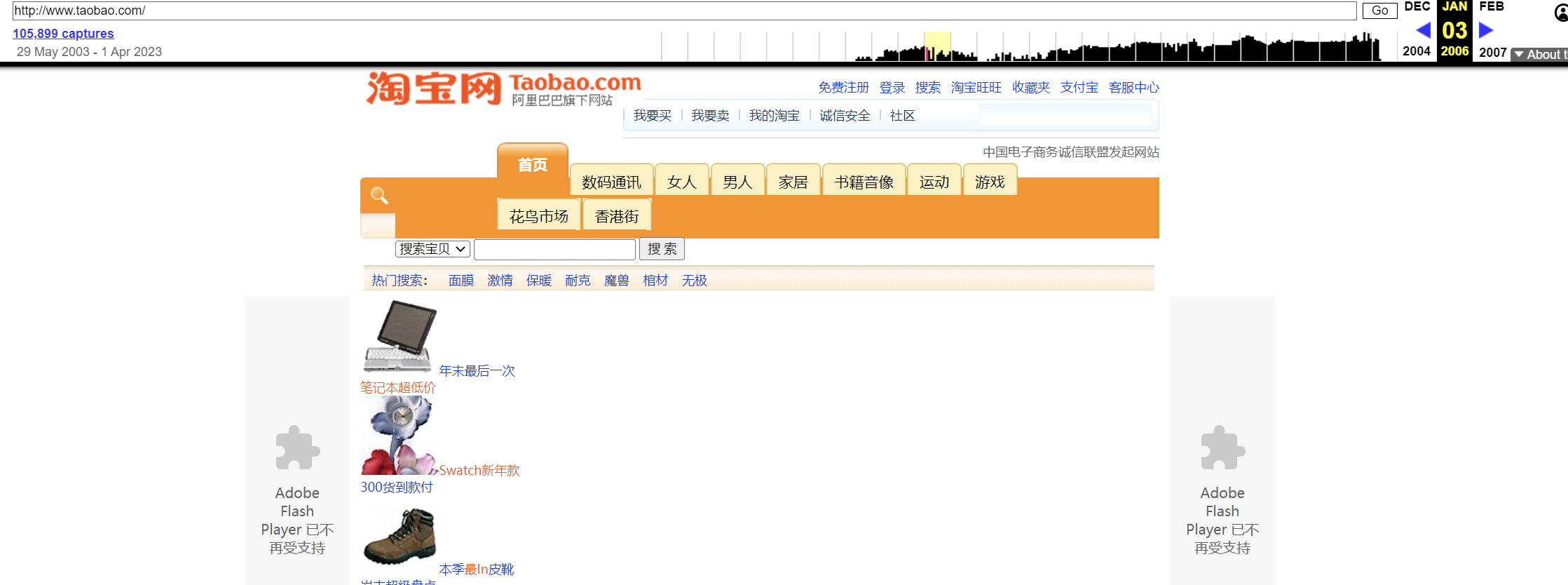
If you want to check whether a domain was previously spammy, or see its website history, you can use the Wayback Machine https://web.archive.org/ to view past snapshots of the site and check whether its previous content is consistent with what’s there now. I think this is hands down the best tool for researching a site’s history. (You can also see lots of old web pages on it, a must for anyone feeling nostalgic.) Using Taobao as an example:
Next, we also need to check the domain’s WHOIS information. So what is WHOIS?
WHOIS is an internet protocol used to look up domain registration information. A WHOIS lookup shows details for a specific domain, such as the registrant, registration date, DNS servers and expiry date. This information is very important for domain buyers, as it helps them understand a domain’s history and value so they can make better decisions.
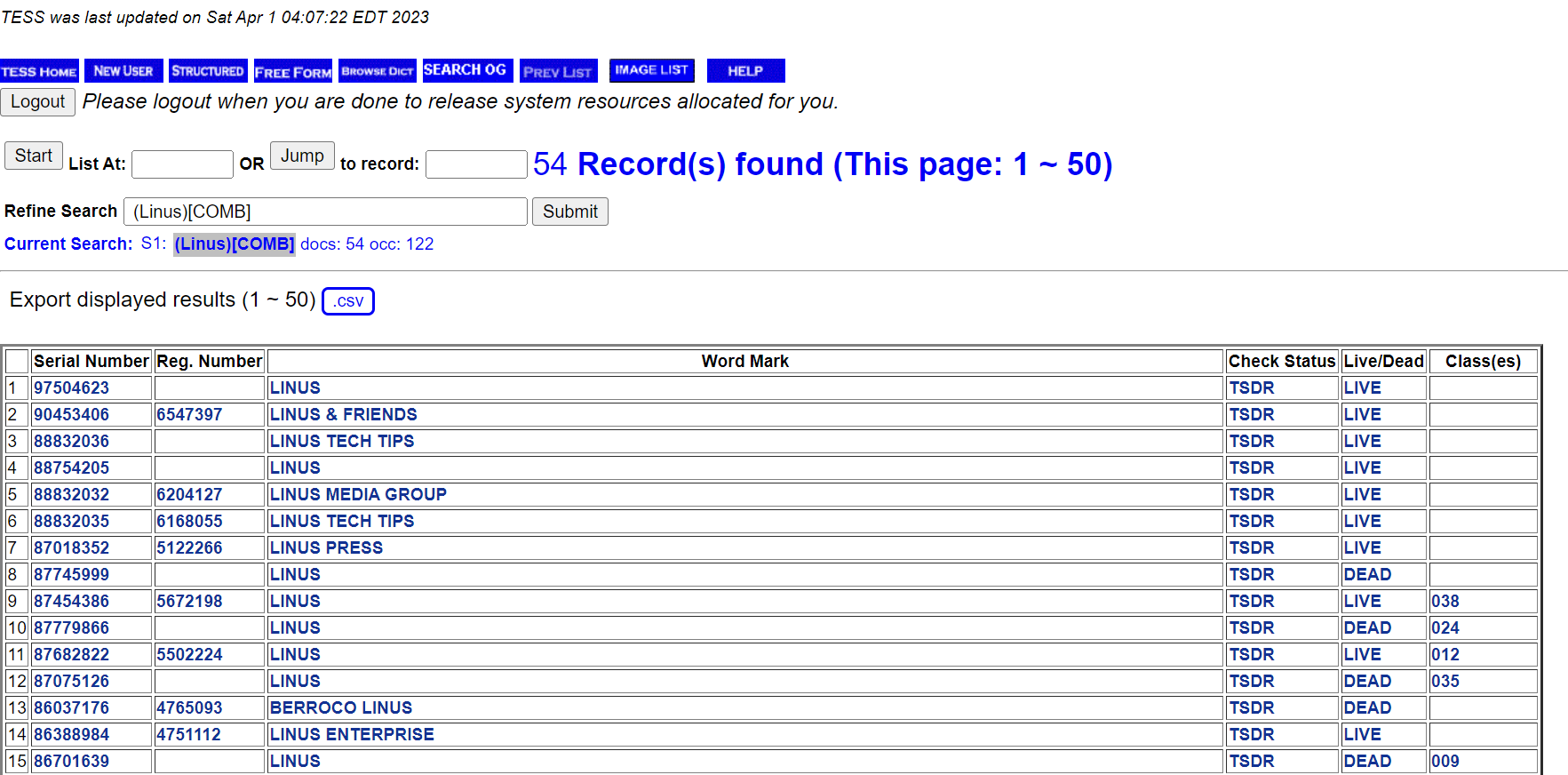
Here I used a WHOIS history lookup tool. You can just Google it and find plenty of them. I used https://whois-history.whoisxmlapi.com/lookup to look at the historical WHOIS records for LinusSEO.com. As you can see, it’s squeaky clean, no problems. If you use a domain registrar such as Alibaba Cloud, you can also see historical information there.
With that information in hand, we also need to see whether there’s anything about the domain online. You can simply search for your domain on Google or Bing. For LinusSEO.com, for instance, I’d search Google for “LinusSEO” (note: include the English double quotes, which tells Google to match only that exact phrase) to see whether there are past traces of it online, and whether there are any recommendations or associated information about the site.
Beyond that, we can also check the domain’s historical backlink profile.👇
The Domain’s Backlink History🕰️
The simplest way is to use Google or Bing search.
Use the “link:” operator followed by the link you want. For example, if you want to find all pages linking to www.linusseo.com, search Google for "link:www.linusseo.com". The search engine will display a list of pages linking to that site. Note, though, that to prevent abuse, Google and other search engines only show part of the information, so it won’t be fully accurate.
In addition, the SEO tools we commonly use, such as SEMrush, Ahrefs Backlink Checker and MOZ, can all show backlinks and backlink history. If you haven’t tried them, I recommend doing so right away. Use these tools to see whether the previous domain owner did any promotion, and whether it was spammy.
If you’ve already bought the domain, you can use the Links report in Google Search Console to see which backlinks Google recognizes (the same goes for Bing Webmaster Tools). This is effectively the officially recognized set of backlinks, and it’s a way to check the domain’s link profile.
Use .com Whenever Possible, Except for Localization🌐
.com is the most common top-level domain extension in the world and has major SEO advantages. For example, we know banks and governments don’t use extensions other than “.gov” or “.com”; that idea has been drilled into us over a long time. By the same logic, when potential customers search for relevant keywords, they tend to type .com as the domain extension first. So if you use a .com domain, these potential customers will find your site more easily.
For example, if I’ve heard of LinusSEO, I’ll probably go looking for LinusSEO.com. Likewise, if I want to shop at Nike, my first choice will definitely be nike.com, not nike.xyz.
Another important factor is the domain’s linguistic and cultural fit. If your target users are mainly in China, you need to choose a Chinese country-code domain rather than an English one. By the same token, if your target users are mainly in Spain, you need to choose a Spanish country-code domain. This improves your website’s recognition and credibility in the local market.
So if you operate in a specific country, using a localized domain extension is the better approach. It makes your site easier to discover locally and helps it rank higher in each country’s search engines. For example:
- If you operate in Japan, use the .jp extension, e.g. amazon.co.jp.
- If you’re in the UK, the recommended extension is .co.uk or .uk; for example, amazon.co.uk is Amazon’s UK site.
- If you operate in Canada, use the .ca extension, e.g. canadiantire.ca.
- If you operate in Germany, use the .de extension, e.g. amazon.de.
- If you operate in China, use the .cn extension, e.g. tencent.com.cn or tencent.cn. Everyone gets the idea.
Later on, you’ll be able to find a table of countries and their corresponding domain extensions on LinusSEO.com.
The tricky part is that different countries have protection policies for their top-level domains, so when registering a country-code TLD in a given country, there may be some policy restrictions. For example, registering an Australian top-level domain requires a local Australian company.
Think About Business Scalability💡
To keep your domain scalable, it’s best to choose a more general domain, which makes it easy to expand your business in the future. Of course, this depends heavily on your business. In my view, if you’re currently focused only on a vertical niche, go ahead and choose a niche domain. But for sellers who aim to expand their product lines later, it’s crucial to choose a domain that relates to your core business without being limited to a specific product or service.
Here are some examples of how to choose a general domain:
Example 1: Current business: a website selling health food
🤔Restrictive domain: HealthySnacksOnline.com
✅Better general domain: WellnessMarket.com
Why? You can later expand into other health areas, such as nutritional supplements and sports gear.
Example 2: Current business: a website offering web design services
🤔Restrictive domain: WebDesignMasters.com
✅General domain: DigitalCreatorsHub.com
Why? Because it covers not just web design but also other areas of digital creation, such as graphic design and digital marketing.
Example 3: Current business: home décor retail
🤔Restrictive domain: HomeDecorShop.com
✅General domain: LifestyleEssentials.com
Why? You can later expand into other home and lifestyle products, such as furniture and kitchenware.
In short, considering scalability when choosing a domain is about being able to adapt as your business grows and changes. Choosing a general domain not only helps build brand awareness, but also avoids having to change domains when you expand, which would hurt your SEO rankings and site recognition.
Avoid Trademark Issues🚫
Say you register nike.net. Although the domain may be available to register (just an example), if you actually registered it, you’d soon be receiving a court summons. You can use the US trademark database search to check whether a trademark is already registered:
https://www.uspto.gov/trademarks/search
Use AI Tools🤖
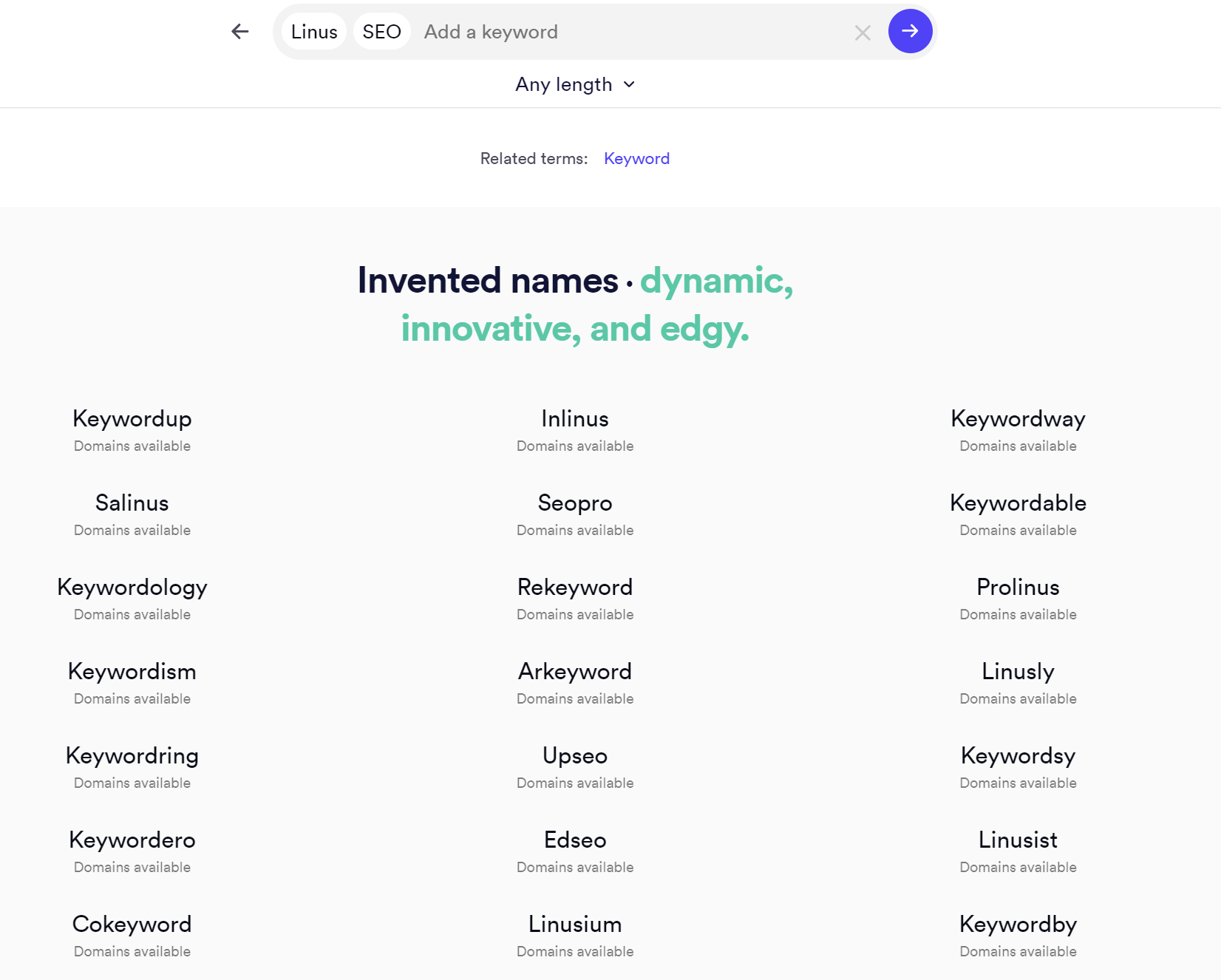
The ones I usually use are namelix.com and https://looka.com/business-name-generator/.
With Namelix, you can also see some logo designs along the way:
With Looka, you can enter some requirements, such as making the names more creative, and the results page shows you directly whether each domain is available.
Pull It All Together📊
I encourage everyone to use a wide variety of tools to find as much inspiration as possible. After that, what I usually do is pair words up, then weigh each option carefully against all the points above. I may develop a similar tool for finding domains in the future. Add me on WeChat (ID: LinusSEO) to follow along on my Moments feed.
If you use ChatGPT, you can enter the following prompt to help you combine ideas:
👇👇👇
I’m currently looking for an SEO-friendly domain name.
My brand words are: Linus, Yiguo Technology, Jindouyun
My target terms are: SEO, SEM, KOL marketing, ad buying
Please combine them in pairs to create multiple English domain names ending in .com. They need to be SEO-friendly.
👆👆👆
You can ask for more too, such as using more sophisticated vocabulary or trying the techniques above. Once you’ve found a good domain, remember to buy it from a reliable registrar such as Alibaba Cloud, GoDaddy or Namecheap. I won’t go into detail on that here.
Does Your Domain Actually Help SEO?🤔
A good domain can help SEO, but it’s not a deciding factor. A domain containing keywords is useful, especially in a niche category, where it helps you get off the ground faster. But it isn’t a major factor. Search engine algorithms are getting smarter and smarter, and beyond the domain itself, content quality and relevance, as well as user experience, are all important ranking factors.
If you use a low-quality, irrelevant or hard-to-remember domain just to include a keyword, it will backfire. So I recommend treating the choice of a good domain as a decision that weighs many factors together, not just keywords.
Examples of Good Domains🌰
💡If your blog is about environmental protection, you could choose something like ecoflower.com, planetcare.com or sustainlife.com.
💡If your blog is about pet care, you could choose a brandable domain such as furryfriends.com. If your blog is about dogs, you could choose dogbuddies.com; if it’s about cats, catwhisperers.com.
💡If your site is about healthy food, you could choose domains like healthyeats.com, nutriplanet.com or wellnessgrocery.com, so people know at a glance it’s about healthy eating.
💡If your site is about outdoor sports gear, you could choose domains like outdoorgearhub.com, adventureseekers.com or wildernesstools.com, so people know at a glance it’s about outdoor sports and adventure.
💡If your site is about home décor, you could choose domains like homedecorhaven.com, cozyinteriors.com or styledliving.com, so people know at a glance it’s about home décor and style.
A ChatGPT Prompt for Finding a Good Domain💬
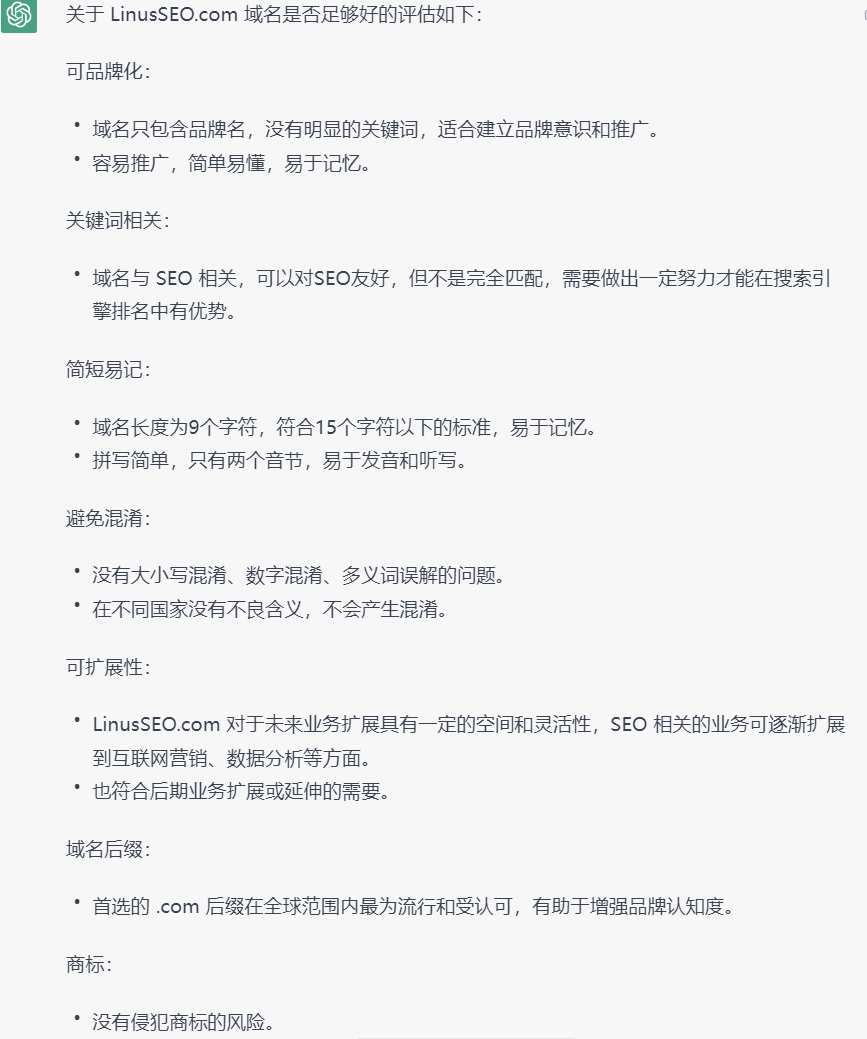
This prompt is for judging whether a domain you’ve found is any good. For the last two points, you’ll need to use the tools mentioned above. If you’d like more prompts for cross-border e-commerce and SEO, be sure to follow my WeChat Official Account (LinusSEO); I’ll keep updating them. If you have more requirements or background information, feel free to add them. Enjoy:
👇👇👇
My domain is: LinusSEO.com
My domain’s topic is: SEO
My keywords are: SEO, Google SEO
Please tell me whether this domain is good enough, using clearly formatted bullet points and covering the following aspects:
- Brandability: Does the domain contain only a brand and no keywords? Is it easy to promote?
- Keyword relevance: Is it related to the keywords? Is it SEO-friendly?
- Short and memorable: Is it easy to remember? Is it under 15 characters? Is it 4 syllables or fewer?
- Avoiding confusion: Could it be misread due to capitalization, confused with numbers, or misunderstood because of words with multiple meanings? Does it have negative meanings in different countries?
- Scalability: Does the domain leave room for future business expansion, and would it still fit if the business expands or extends into other areas?
- Domain extension: Is the extension the preferred .com, or the top-level domain of each target country?
- Trademarks: Could it involve infringement?
- Domain history: As far as you know, does this domain have a shady history? Could it be associated with scams, or has it been a spam site?
Also, please give me 10 more related domains for reference, excluding seolinus.com
👆👆👆
Final Thoughts🎉
Choosing a good domain isn’t easy. But no matter how search engines change, and no matter how hard AI disrupts things, independent websites will always have their own value. Imagine: even if ChatGPT becomes the main gateway in the future, how would that be any different from big platform gateways like Amazon today? Brand-site sellers will never put all their eggs in one basket. The value of an independent site will always endure, and your domain plays a crucial role in your brand image and competitiveness.
My advice: every time you choose a domain, pull this article up again and carefully weigh every factor, so you end up with the best-sounding, most forward-looking and most scalable choice.
Finally, keep improving, and let’s keep pushing together! Add me on WeChat (ID: LinusSEO) to follow my SEO and overseas marketing notes on Moments and chat about how to win overseas traffic in the AIGC era. Keep following me to learn more about Google SEO🧀.

How to Pick an SEO-Friendly Domain: 2023 Guide + ChatGPT Prompt